
The Vulnerability Scanner helps you check your WordPress site for security issues in your plugins, themes, and WordPress core. It scans for known vulnerabilities that could make your site unsafe.
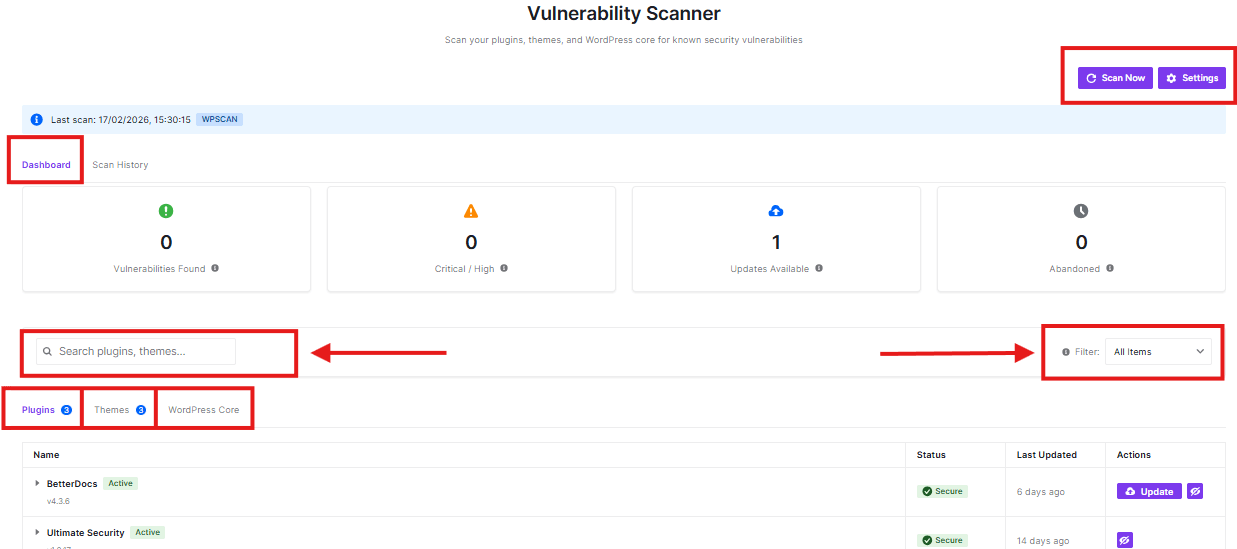
Top Action Buttons
- Scan Now: Click this purple button to start a security scan of your entire WordPress site
- Settings: Access advanced scanner settings and preferences
Dynamic Data
This is your main view showing an overview of your site’s security status. It displays:

- Vulnerabilities Found
- Critical/High issues
- Available updates
- Abandoned items
Search Bar
Use this to search for specific plugins or themes in your list. Just type the name you’re looking for.
Filter Dropdown
This helps you narrow down what you see:
- “All Items” shows everything
- You can filter to see Vulnerable, Outdated, or Abandoned items
Content Tabs
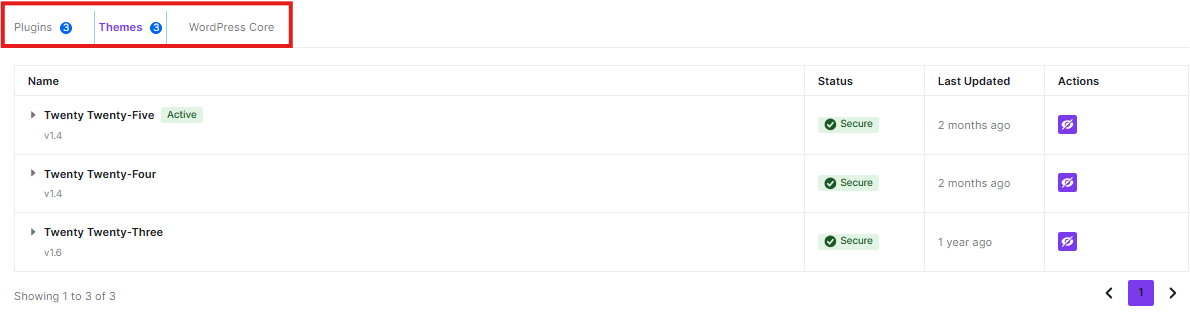
- Plugins: View and manage all your installed plugins
- Themes: See your installed themes and their status
- WordPress Core: Check your WordPress installation status
How to Use
- Click “Scan Now” to check your site’s security
- Use the search bar to find specific items quickly
- Switch between tabs to manage different parts of your site
- Check the dashboard for a quick security overview
The scanner helps keep your WordPress site secure by identifying potential security issues before they can be exploited.


