
History
Filter sent security alerts by status, priority, event type and date, check delivery attempts, and export the history as CSV or JSON.
On this page
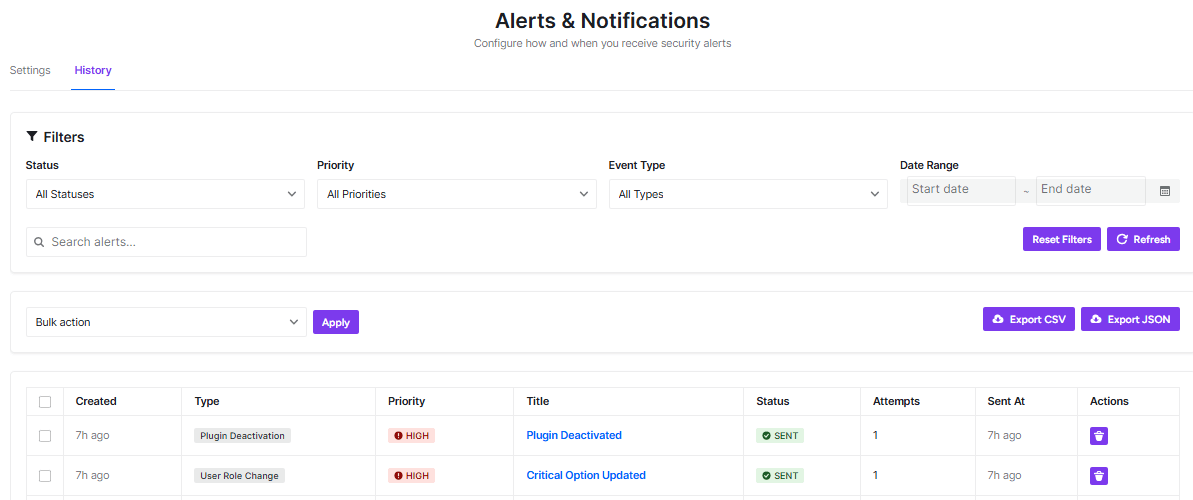
This page shows a record of all security alerts that have been sent from your WordPress site. It’s like a logbook of what’s been happening with your site’s security.
Filtering Your Alerts
You can narrow down what you see using these filters:
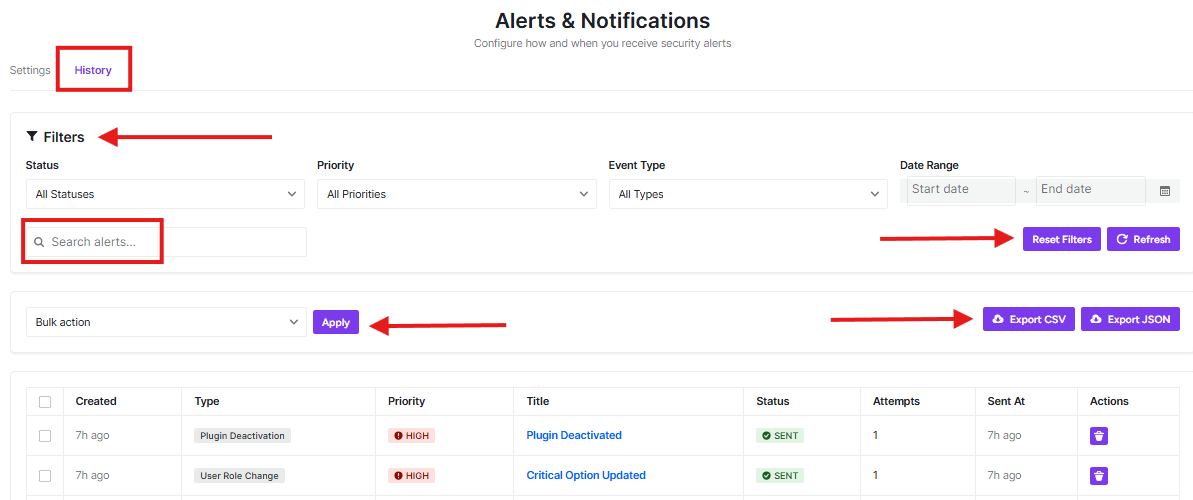
- Status: Choose to see all alerts or only specific ones (like pending, sent, or failed)
- Priority: Filter by importance level (low, medium, high)
- Event Type: Focus on specific types of security events
- Date Range: Look at alerts from a specific time period
Search and Export
- Search alerts: Type keywords to find specific alerts quickly
- Reset Filters: Clear all your filter selections
- Refresh: Update the page to see the latest information
- Export: Save your alert data as CSV or JSON files for records or analysis
Alert List
The table shows detailed information about each alert:
- Created: When the security event happened
- Type: What kind of security event occurred
- Priority: How important the alert is (HIGH priority events are marked in red)
- Title: A brief description of the event (click to see more details)
- Status: Whether the alert was successfully sent
- Attempts: How many times the system tried to send the alert
- Sent At: When the alert was actually delivered
- Actions: Additional options for each alert
This history helps you track your site’s security over time and understand what types of events are occurring most frequently.
Was this article helpful?
Thanks for the feedback.