
Preview & Deploy
Review the Cloudflare rule expressions generated from your settings, copy them, and deploy or remove the plugin-managed WAF rules for a zone.
On this page
The Preview & Deploy screen is the final “control room” for your Web Application Firewall (WAF). This page allows you to review the technical rules generated by your settings before they are sent to Cloudflare. It ensures that you have full visibility into how your site is being protected.
Generated Rule Expressions
The plugin automatically converts your simple “On/Off” toggles into complex code called Wirefilter expressions. These are the instructions Cloudflare uses to filter your traffic.
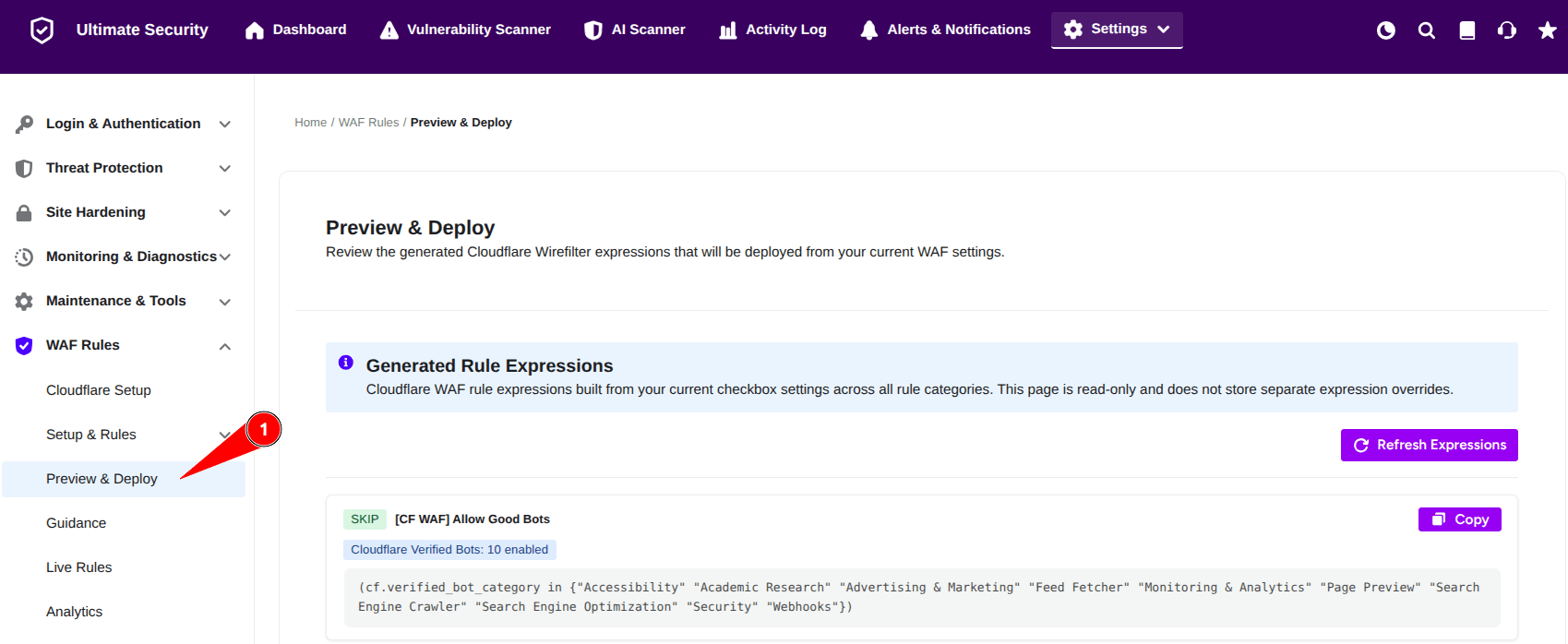
- You cannot edit the code directly here. To change these rules, you must go back to the specific Setup & Rules sections.
- If you just made changes in another tab, click the Refresh Expressions button to load the most recent version of your rules.
Rule Breakdown
You will see several boxes, each representing a specific layer of defense. Each box shows the Action (Skip, Block, or Managed Challenge) and a summary of what is included:
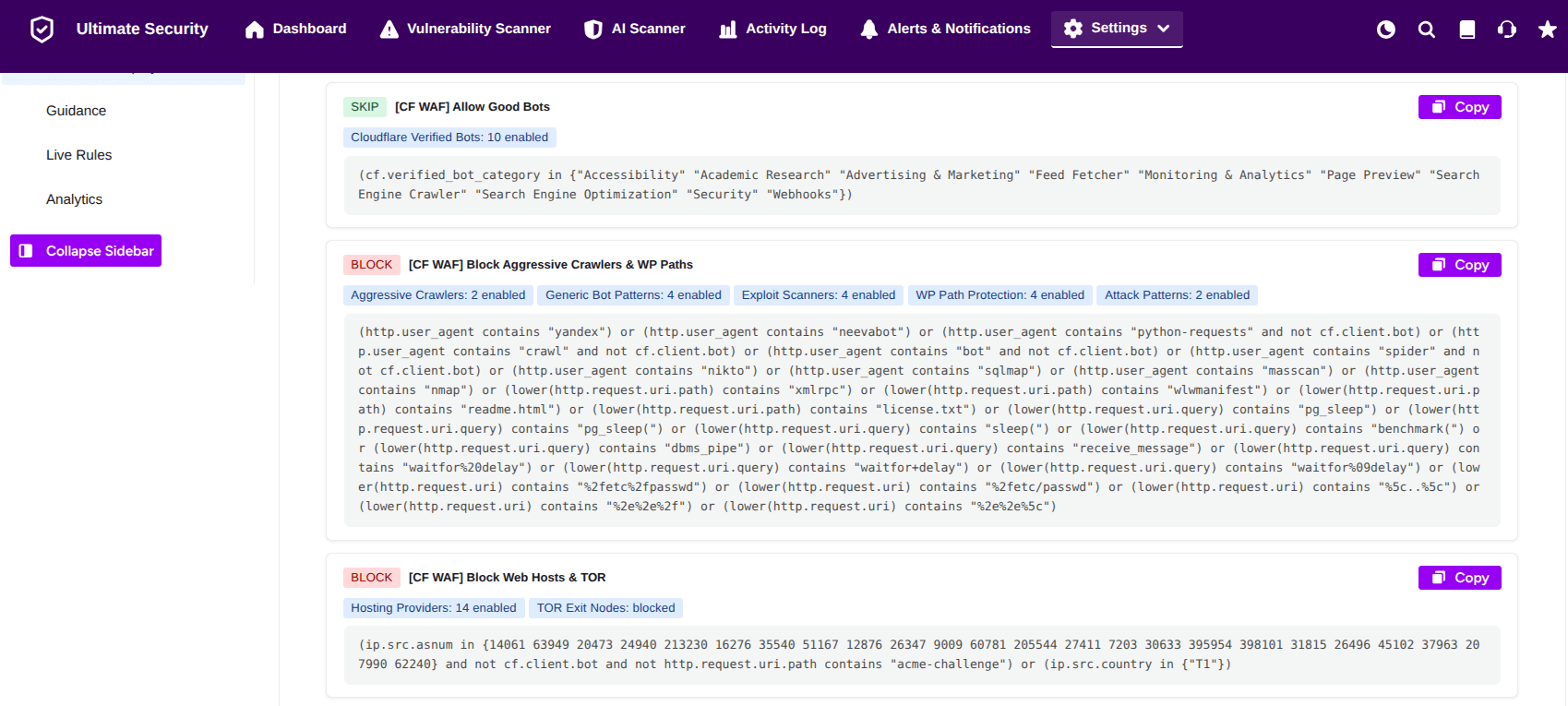
- [CF WAF] Allow Good Bots: Usually set to SKIP. This ensures that search engines like Google and Bing can still crawl your site without getting blocked.
- [CF WAF] Block Aggressive Crawlers & WP Paths: Set to BLOCK. This stops “bad” bots and protects sensitive WordPress files from being poked by hackers.
- [CF WAF] Block Web Hosts & TOR: Set to BLOCK. This prevents traffic from known data centers or anonymous TOR networks, which are frequently used for attacks.
- [CF WAF] Challenge Large Providers / Country: Set to MANAGED CHALLENGE. This forces visitors from specific regions or cloud providers to pass a security check.
- [CF WAF] Challenge VPN & wp-login: Set to MANAGED CHALLENGE. This specifically targets VPN users trying to reach your login page.
Each rule box has a Copy button. If you ever need to contact support or manually check a rule in your Cloudflare dashboard, you can quickly copy the expression to your clipboard.
Deploy to Cloudflare
After configuring your bot whitelist, you must save and deploy to make it active on Cloudflare.
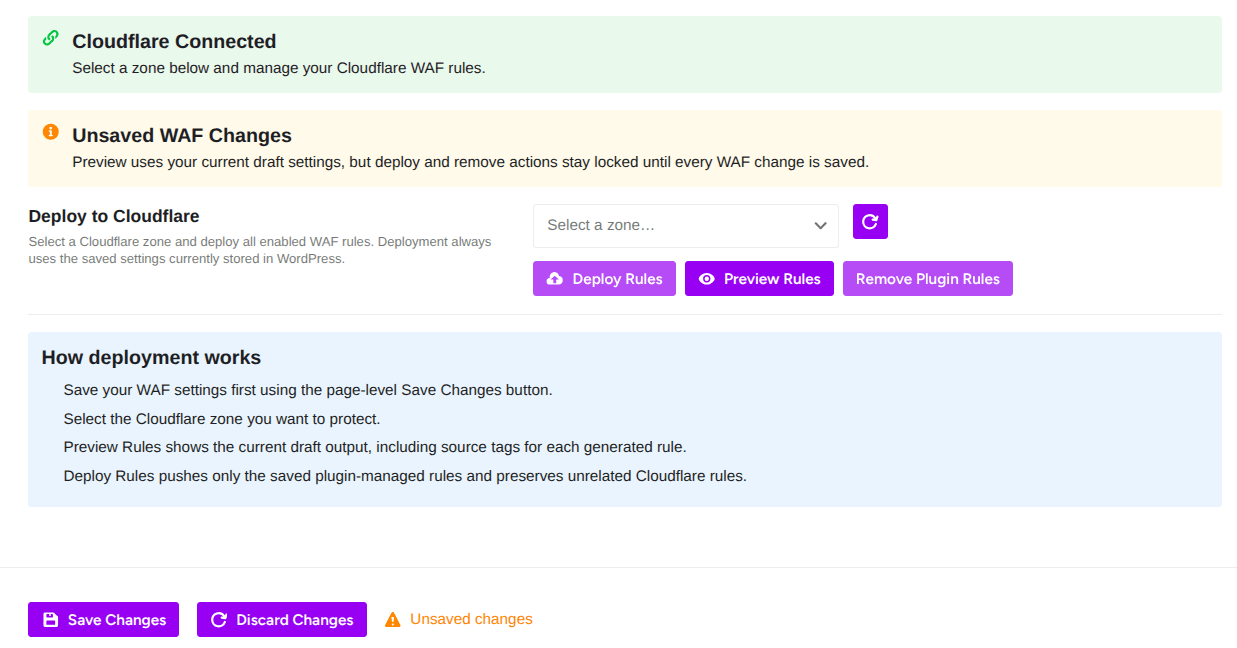
Deploy Rules: Pushes your saved settings to Cloudflare and activates them live
Preview Rules: Shows you the exact rule expressions that will be generated. Review before deploying
Remove Plugin Rules: Removes all WAF rules created by this plugin from Cloudflare
Zone Selector: Choose which Cloudflare domain (zone) to deploy to.
How Deployment Works From the Plugin:
- Save your WAF settings first using the Save Changes button at the bottom of the page
- Select the Cloudflare zone you want to protect
- Preview Rules shows the current draft output, including source tags for each generated rule
- Deploy Rules pushes only the saved plugin-managed rules and preserves unrelated Cloudflare rules
The plugin only manages its own rules. It won’t delete or overwrite any rules you created manually in Cloudflare.