
Installation
Install Ultimate Security from the WordPress dashboard or by uploading the plugin ZIP.
On this page
You can install the plugin in two ways. The easiest way is through the WordPress Dashboard.
Method 1: Install via WordPress Dashboard (Recommended)
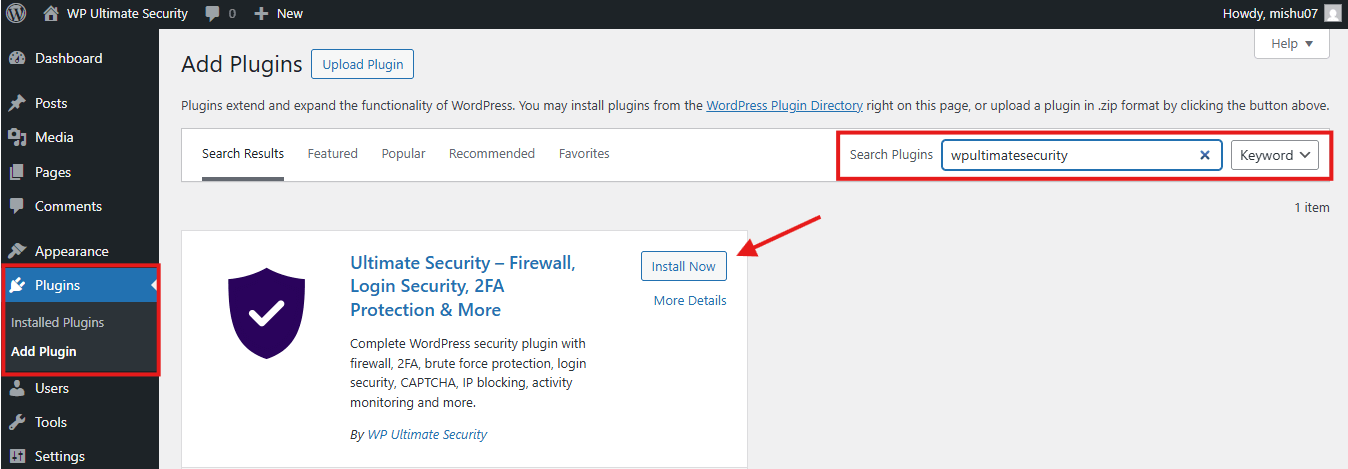
- Log in to your WordPress Dashboard.
- Navigate to Plugins → Add New.
- In the search bar (top right), type “wpultimatesecurity“
- Find the plugin “WP Ultimate Security–Firewall, Login Security, 2FA Protection & More” by wpultimatesecurity.
- Click the Install Now button.
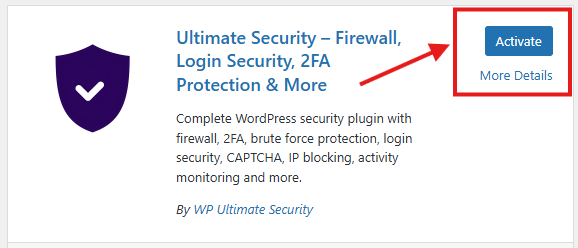
- Once the installation is complete, press Activate.
Method 2: Manual Zip file Download
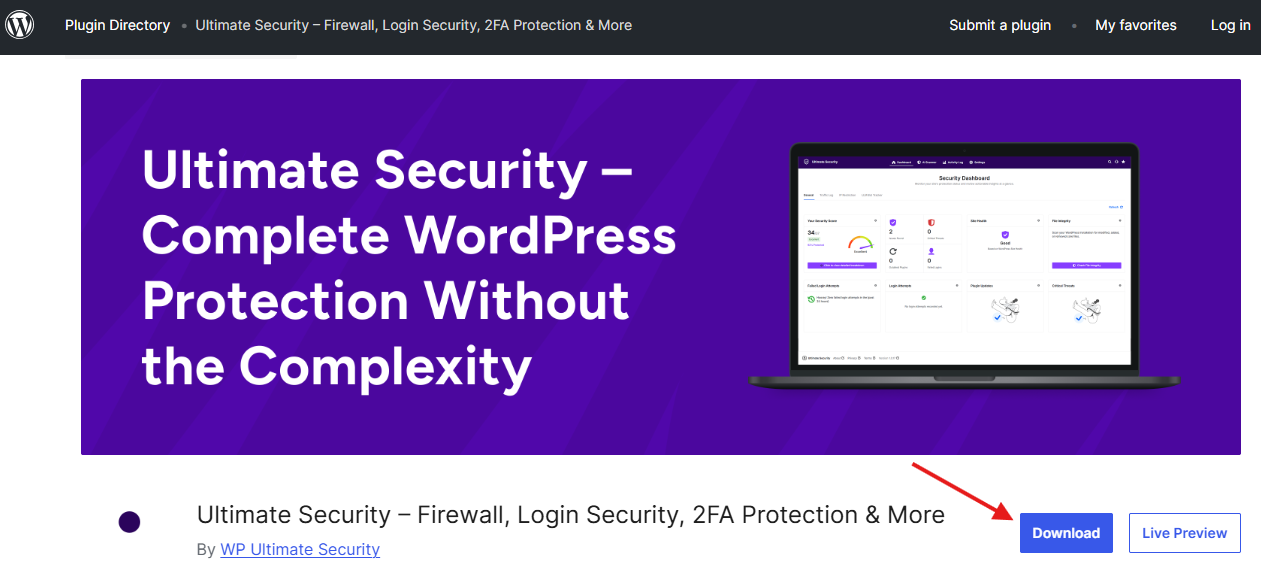
- Download the plugin zip file from the WordPress repository.
- Log in to your WordPress dashboard → Plugins → Add Plugins → Upload.
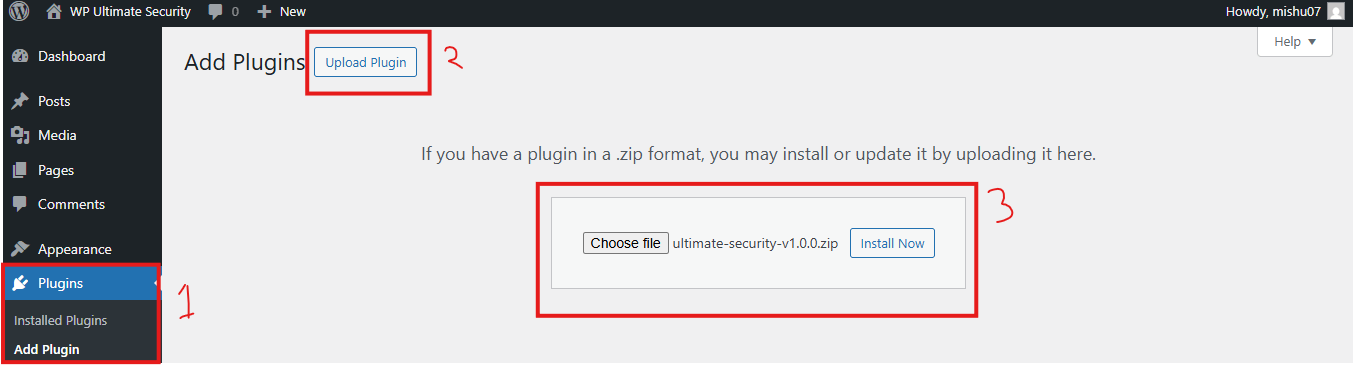
- Select the downloaded zip file from your computer, then upload it, and WordPress will automatically install it.
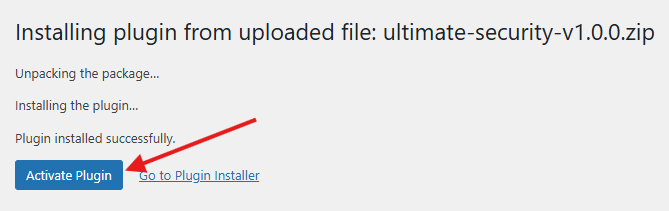
- Once the installation is complete, click to activate the plugin
Was this article helpful?
Thanks for the feedback.