
Test Mode
Simulate security rules without blocking anyone, choose which roles to test, keep administrators excluded, and review simulated block counts.
On this page
This page helps you test your security settings without actually blocking real users.
Enable Test Mode:
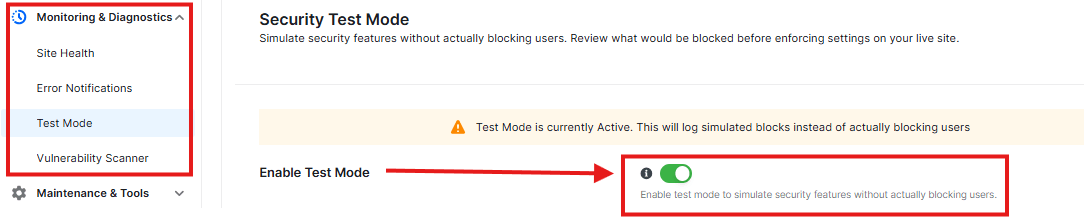
- When ON, it simulates security features without really blocking anyone
User Roles:

- You can choose which user types to test with:
- Administrator (always active)
- Editor
- Author
- Contributor
- Subscriber
- Each has its own toggle switch
Safety Options:

- Always exclude administrators (recommended) – keeps you safe from being blocked
- Log simulated blocks to activity logs – keeps records of test runs
- Show test mode notice in admin dashboard – reminds you it’s in test mode
Simulation Statistics:
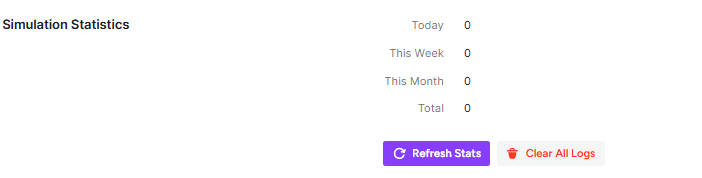
- Shows how many test blocks happened:
- Today: 0
- This Week: 0
- This Month: 0
- Total: 0
- You can “Refresh Stats” or “Clear All Logs”
Recent Simulations:

- Shows your test results
- Right now it says: “No simulation logs yet. Enable test mode and wait for security events to be simulated.”
Was this article helpful?
Thanks for the feedback.