
Live Rules
Pick a Cloudflare zone and load the WAF rules that are currently active on it, to confirm what is live rather than what is drafted.
On this page
The Live Rules screen allows you to inspect the active security configurations currently protecting your website on the Cloudflare network. While other screens show you what will be deployed, this screen confirms exactly what is currently standing guard at your site’s “front door.”
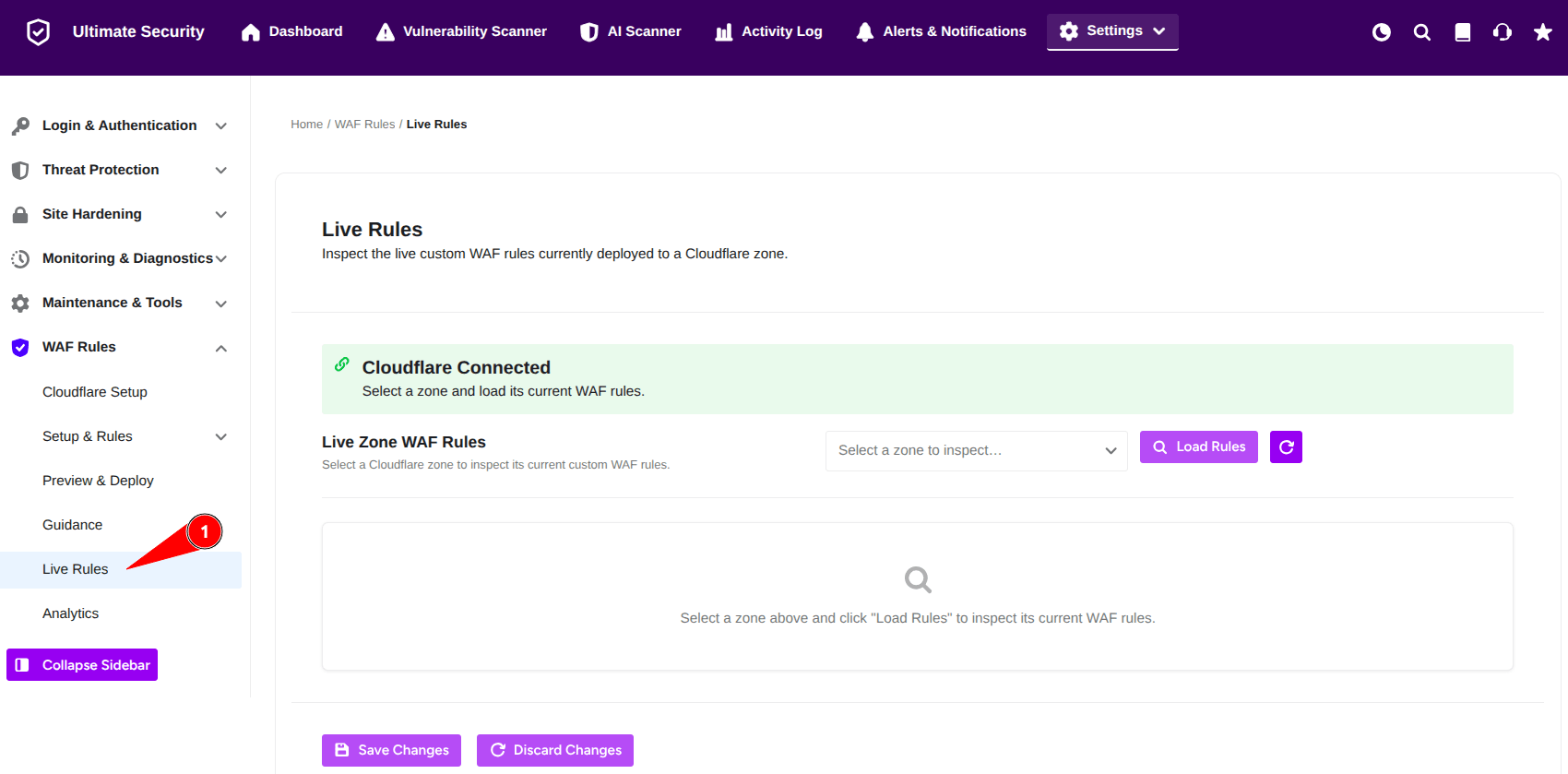
Live Zone WAF Rules
This section acts as a real-time monitor for your Web Application Firewall (WAF)
- Cloudflare Connection Status: A green bar confirms that your WordPress site is successfully communicating with Cloudflare. You must have a solid connection here to load or manage rules.
- Live Zone WAF Rules: This is the main inspection area where you can view the actual code running on Cloudflare’s servers.
Use the dropdown menu labeled “Select a zone to inspect” to choose your domain. - Click the purple Load Rules button.
- The plugin will fetch the live data from Cloudflare and display the active rules in the window below.
Because a single Cloudflare account can manage multiple websites (zones), you need to specify which one you want to look at.
Click Save Changes or Discard to apply settings
Was this article helpful?
Thanks for the feedback.