
Backup & Restore
Export selected plugin settings to a JSON file or copy them as text, and import a saved file to restore settings on this or another site.
On this page
The Settings Backup & Restore allows you to save your current security setup so you never lose it, move your settings to another website, or quickly fix your configuration.
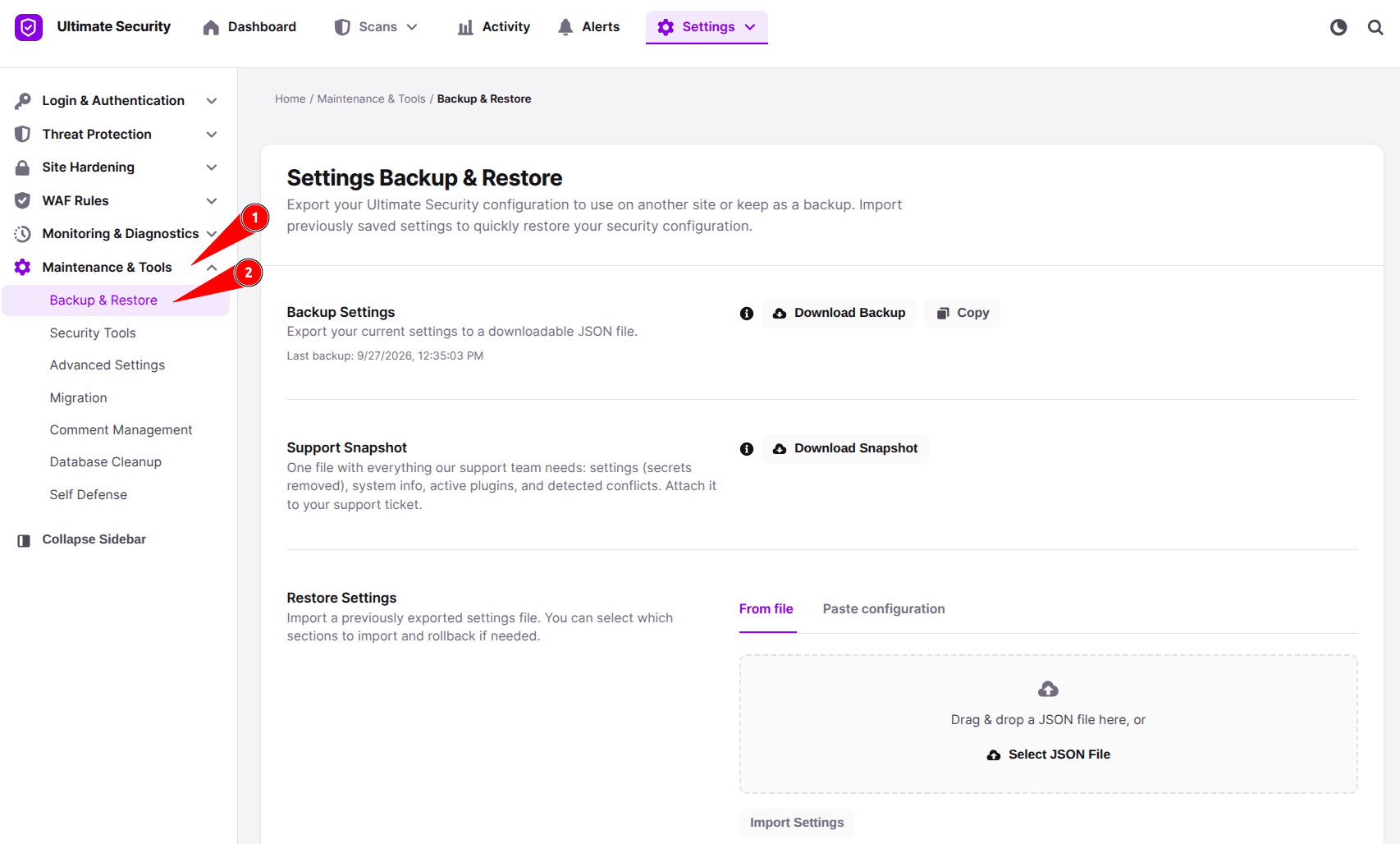
Backup Settings
This section lets you save your current plugin configurations so you never lose them.
- Download Backup: Click this button to download your settings file (in
.jsonformat) to your device. - Copy: Click this button to copy your configuration text straight to your clipboard, allowing you to paste it anywhere needed.
Support Snapshot
This section creates a summary file containing essential information about your website environment.
- Download Snapshot: Click this button to download a support snapshot. This is useful when troubleshooting issues with the support team because sensitive security tokens or passwords are automatically removed.
Restore Settings
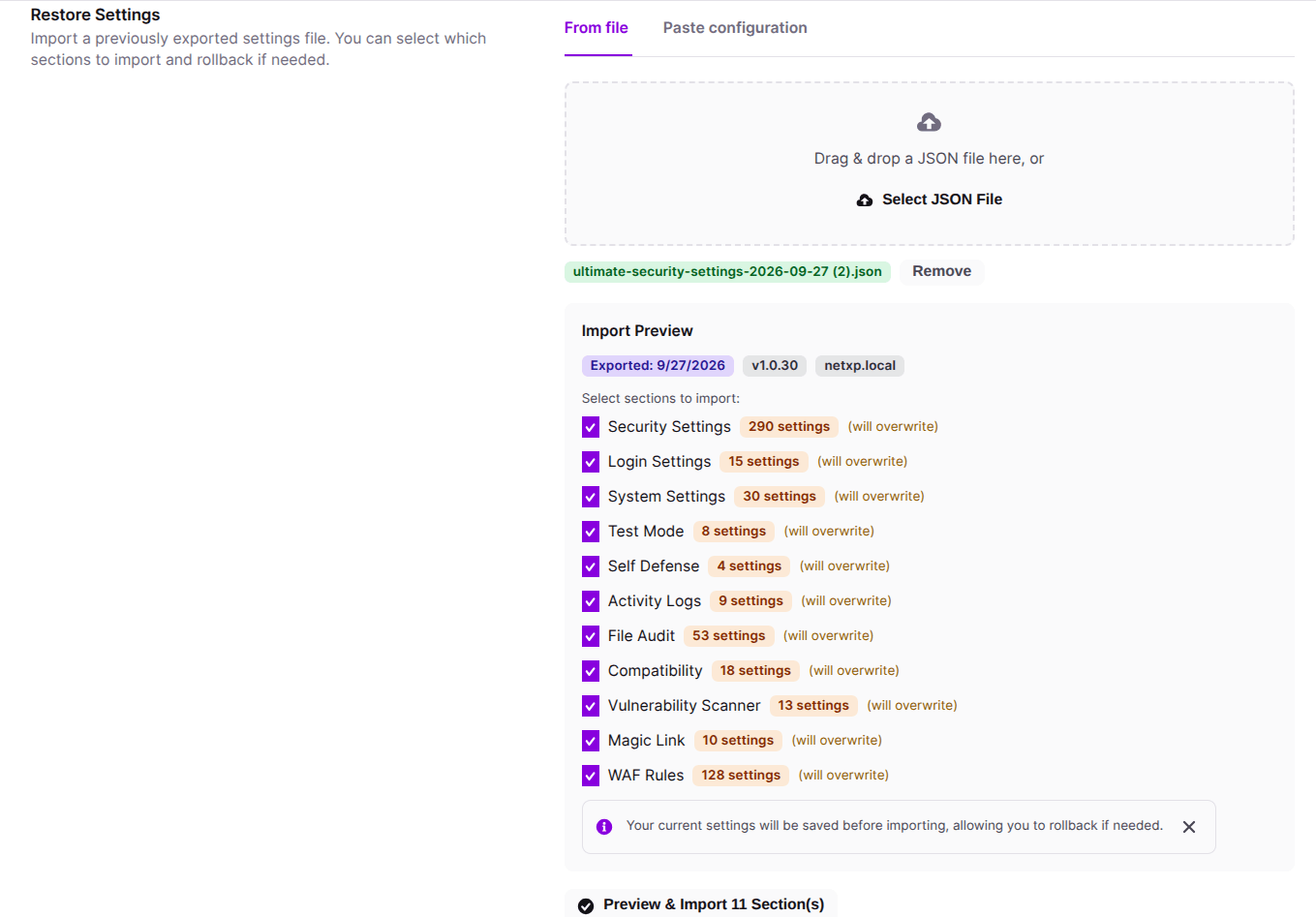
The Restore feature lets you apply a previously saved security configuration to your website using either a backup file or copied text.
Option A: Restoring From File
- Upload File: Drag and drop your
.jsonbackup file into the drop zone, or click Select JSON File to pick the file from your device. - Import Preview: Once uploaded, a preview list will appear showing all the settings sections included in the file. From there you can select which settings to import and manage them individually.
- Apply Import: Click Preview & Import Settings at the bottom, review the final confirmation pop-up, and click Import Settings to update your website.
Option B: Restoring via Paste Configuration
If you copied your configuration text instead of downloading a file, you can restore it through text:
- Switch Tab: Click on the Paste configuration tab next to “From File”.
- Paste Text: Paste your copied configuration code directly into the text box.
- Load Configuration: Click the Load Configuration button below the text box. This will process the text and generate the Import Preview below.
- Apply Import: Once the preview appears, click Preview & Import Settings, review the confirmation pop-up, and click Import Settings to finish restoring your configuration.
Rollback
After importing or changing your settings, a notification bar will appear at the top of the page if you need to undo your recent changes.
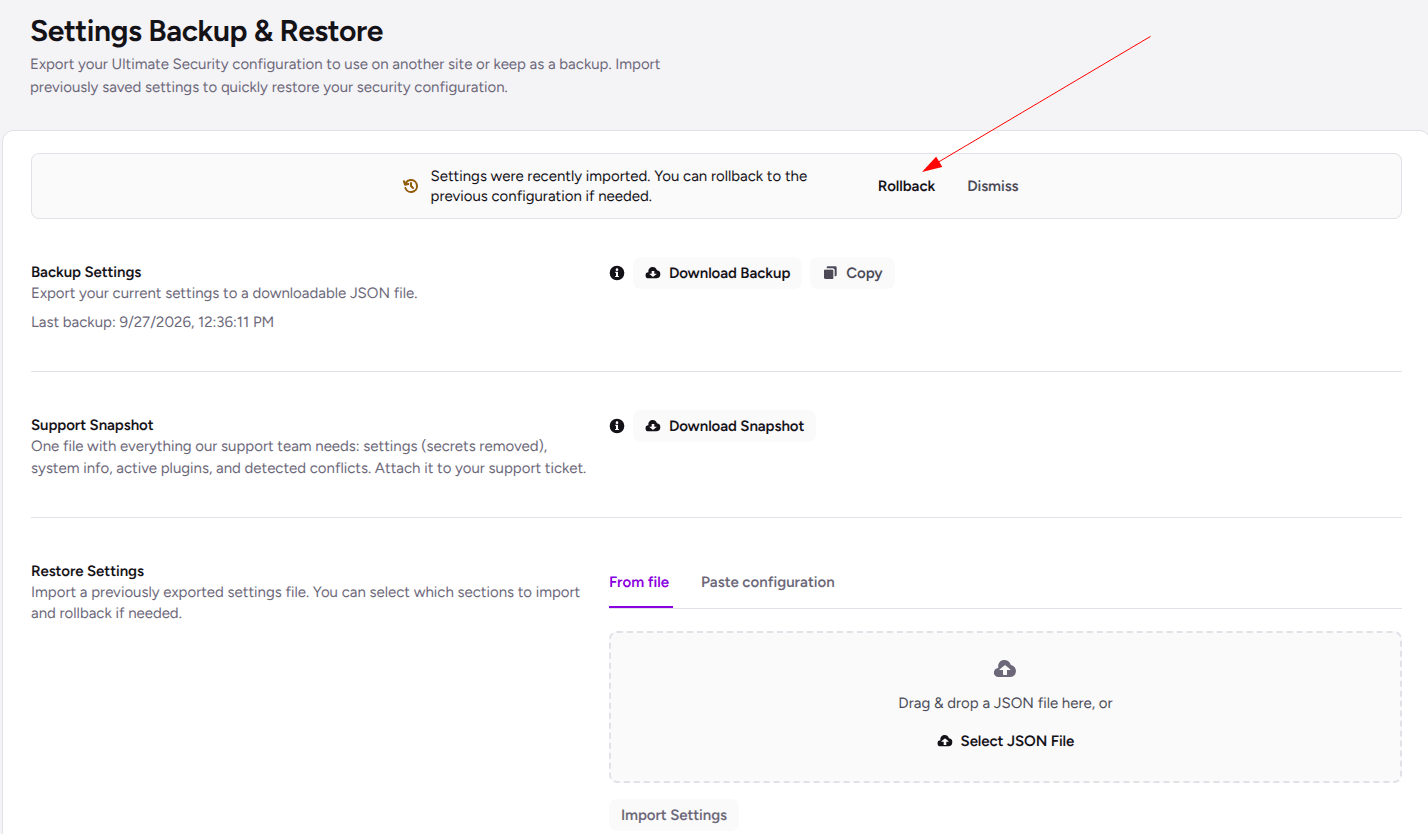
- Rollback: Click this button to instantly revert your settings to the previous configuration before your last import.
- Dismiss: Click this button to clear the notification if you are satisfied with your new settings.