
Challenge Cloud Providers & Countries
Apply a Cloudflare managed challenge to traffic from AWS, Google Cloud and Azure, or to visitors outside the countries you select.
On this page
The Challenge Cloud Providers & Countries feature allows you to apply managed challenges to visitors coming from major cloud provider networks or from countries outside your target audience.
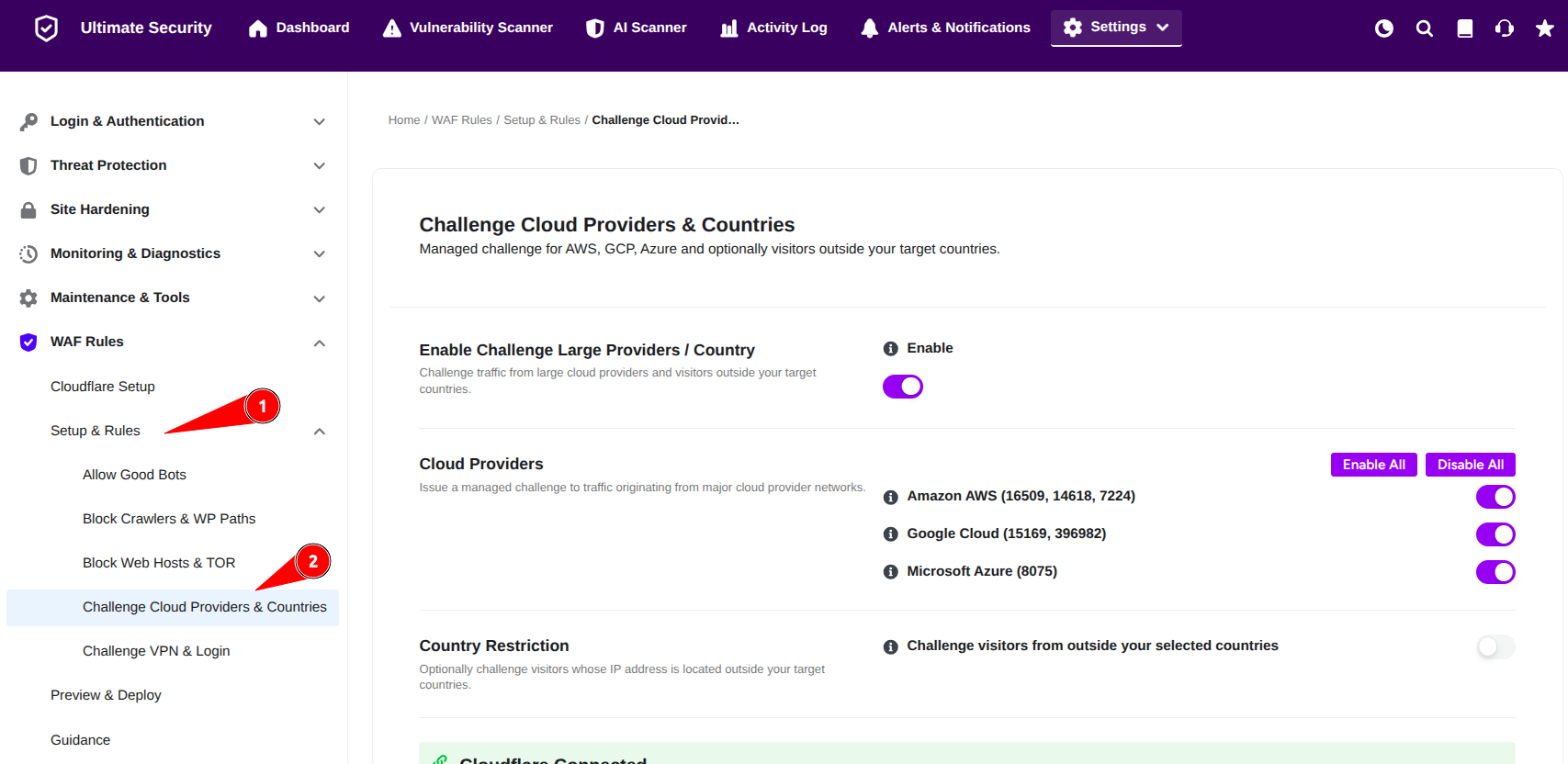
Enable Challenge Large Providers / Country
Enable this option to activate challenge protection for cloud providers and country-based traffic filtering. Once enabled, Ultimate Security will apply managed challenge rules based on the selected configuration. Use these buttons to quickly enable or disable all provider challenge rules.
Cloud Providers
This section allows you to challenge requests coming from major cloud hosting providers and infrastructure networks. These providers are commonly used for automated traffic, scraping, and attack activity.

Available Options
- Amazon AWS (16509, 14618, 7224) (Challenges traffic from Amazon AWS, where many automated attacks originate.)
- Google Cloud (15169, 396982) (Challenges traffic from Google Cloud, which is frequently used for automated credential stuffing.)
- Microsoft Azure (8075) (Challenges traffic from Microsoft Azure, a common source of cloud-hosted bot attacks.)
Country Restriction
This section allows you to challenge visitors whose IP addresses are located outside your selected target countries. When enable this settings, a Allowed Countries option appears where you enlist the country names.
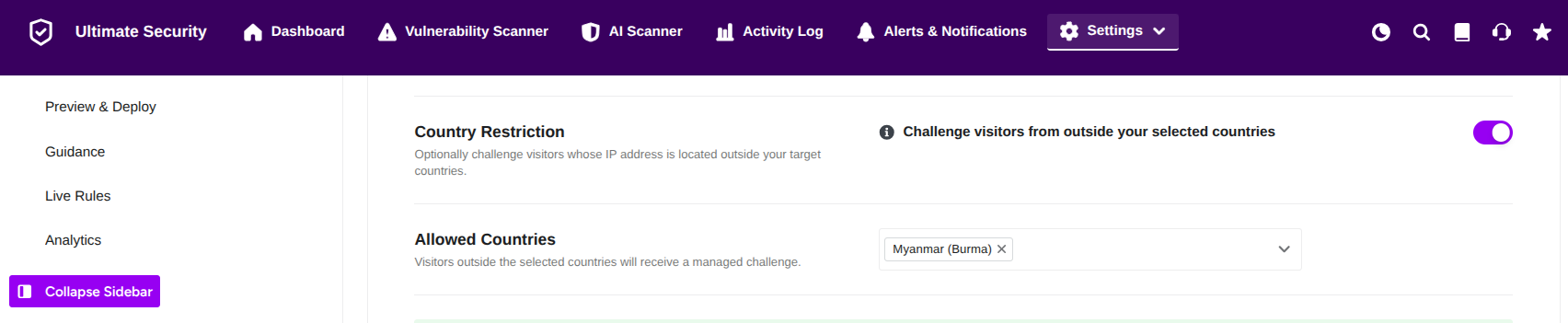
Available Option
- Challenge visitors from outside your selected countries (Issues a managed challenge to visitors outside your selected countries. Best for geographically limited audiences.)
Allowed Countries
Visitors outside the selected countries will receive a managed challenge.
Deploy to Cloudflare
After configuring your bot whitelist, you must save and deploy to make it active on Cloudflare.
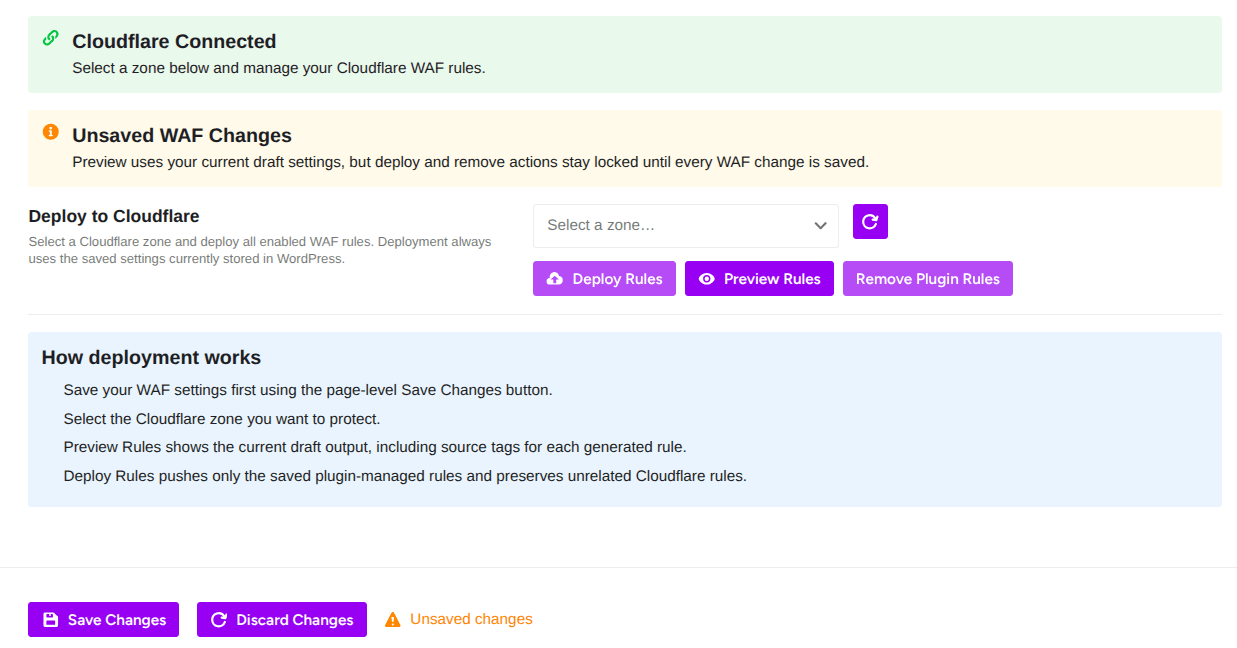
Deploy Rules: Pushes your saved settings to Cloudflare and activates them live
Preview Rules: Shows you the exact rule expressions that will be generated. Review before deploying
Remove Plugin Rules: Removes all WAF rules created by this plugin from Cloudflare
Zone Selector: Choose which Cloudflare domain (zone) to deploy to.
How Deployment Works From the Plugin:
- Save your WAF settings first using the Save Changes button at the bottom of the page
- Select the Cloudflare zone you want to protect
- Preview Rules shows the current draft output, including source tags for each generated rule
- Deploy Rules pushes only the saved plugin-managed rules and preserves unrelated Cloudflare rules
The plugin only manages its own rules. It won’t delete or overwrite any rules you created manually in Cloudflare.