
Backup Settings
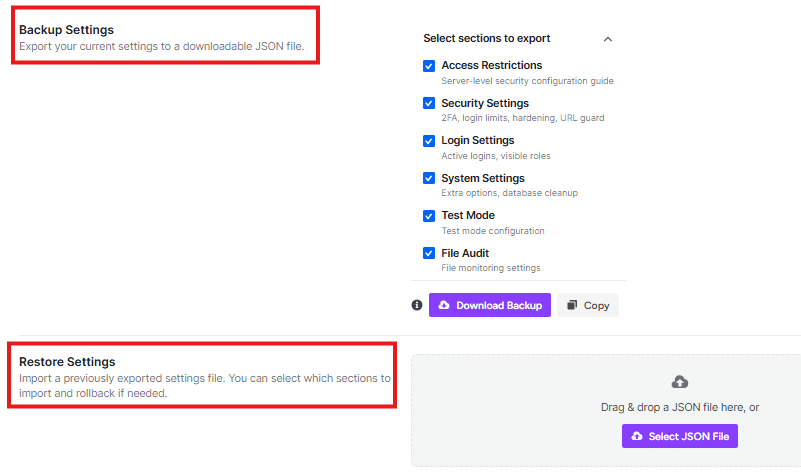
This section lets you save your current settings into a file that lives on your computer.
- What it does: It turns all your switches and buttons into a special file (called a JSON file).
- Select sections to export: You can choose exactly what to save. You can check boxes for things like Login Settings, Security Settings, or Access Restrictions.
- Download Backup: When you click this purple button, the file downloads to your computer.
- Copy: This button lets you copy the settings as text if you just want to paste them somewhere else.
Restore Settings
If you move to a new website or accidentally mess up your settings, use this area to fix it.
- What it does: It takes a file you saved earlier and puts all those settings back onto your site.
- How to use it: You can Drag & drop your saved file into the gray box, or click Select JSON File to find it on your computer.
- Import Settings: Once the file is uploaded, click this to turn the settings on.


