
This page helps you set up how you want to get alerts when something goes wrong with your website.
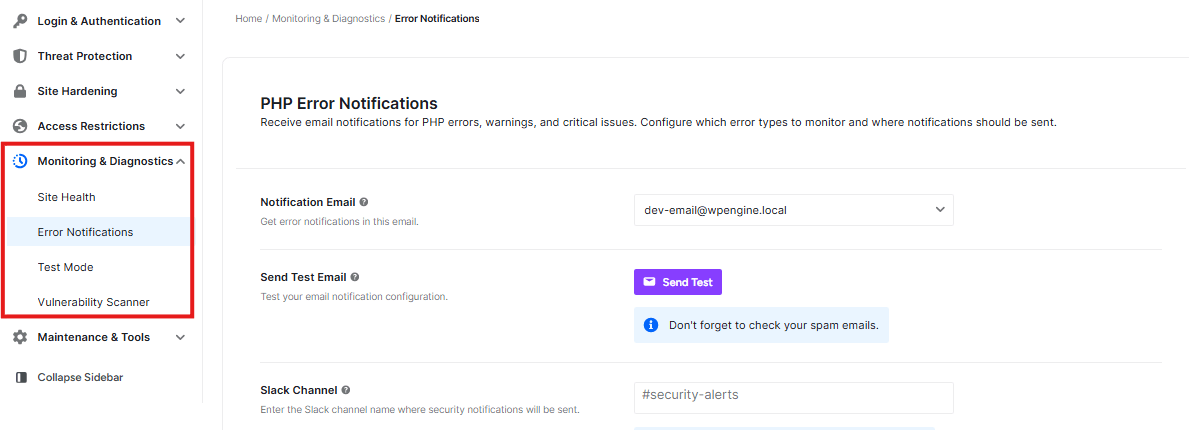
Notification Email:

- You can choose which email address gets error messages
Send Test Email:

- Click the “Send Test” button to check if your email notifications work
- Remember to check your spam folder if you don’t see the test email
Slack Channel:

- You can send error alerts to a Slack channel
- The channel must already exist in your Slack workspace
Slack Webhook URL:

- This is a special link that connects your website to Slack
Send Test Message:

- Click “Send Slack” to test if your Slack notifications work
Error Levels To Notify:
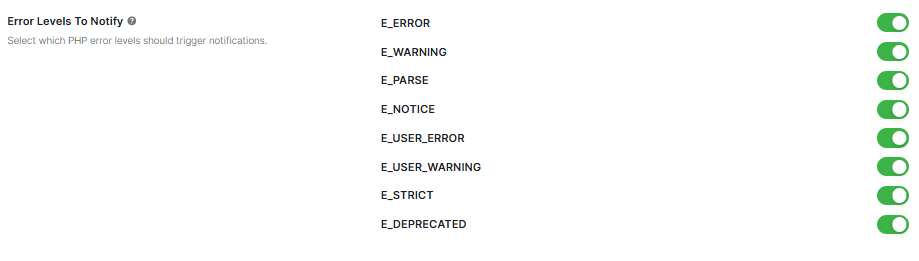
- These are different types of errors your site might have
- You can turn each type ON or OFF using the toggle switches


