
This dashboard shows you a record of all updates that have been made to your WordPress website. It helps you keep track of what’s been updated, when, and whether those updates were successful.
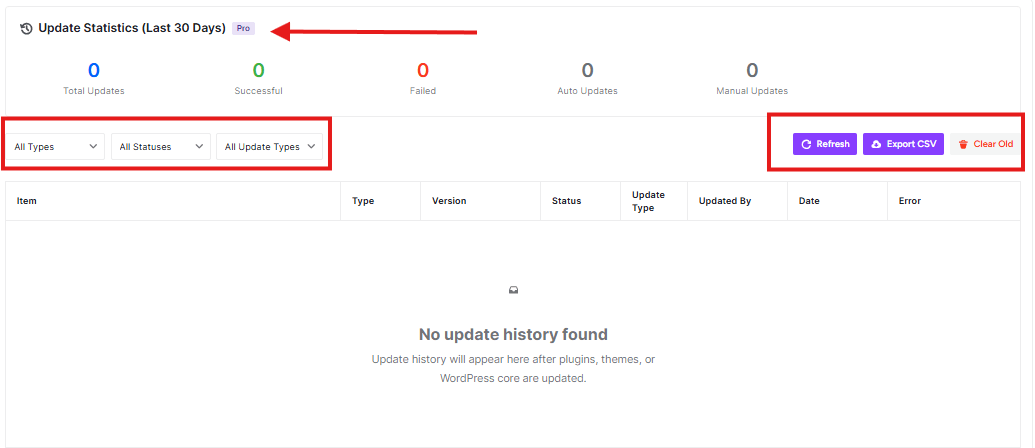
Update Statistics (Last 30 Days)
At the top of the page, you’ll see five important numbers:
- Total Updates: Shows how many updates were attempted in the last 30 days
- Successful: Shows how many updates completed without problems
- Failed: Shows how many updates didn’t work properly
- Auto Updates: Shows how many updates happened automatically
- Manual Updates: Shows how many updates you or someone else did manually
Filter Options
You can use the dropdown menus to filter what you see:
- All Types: Filter by plugins, themes, or WordPress core
- All Statuses: Show only successful, failed, or all updates
- All Update Types: Show auto or manual updates
Action Buttons
- Refresh: Click this to get the latest update information
- Export CSV: Download this data as a spreadsheet file
- Clear Old: Remove old update records (use carefully!)


