
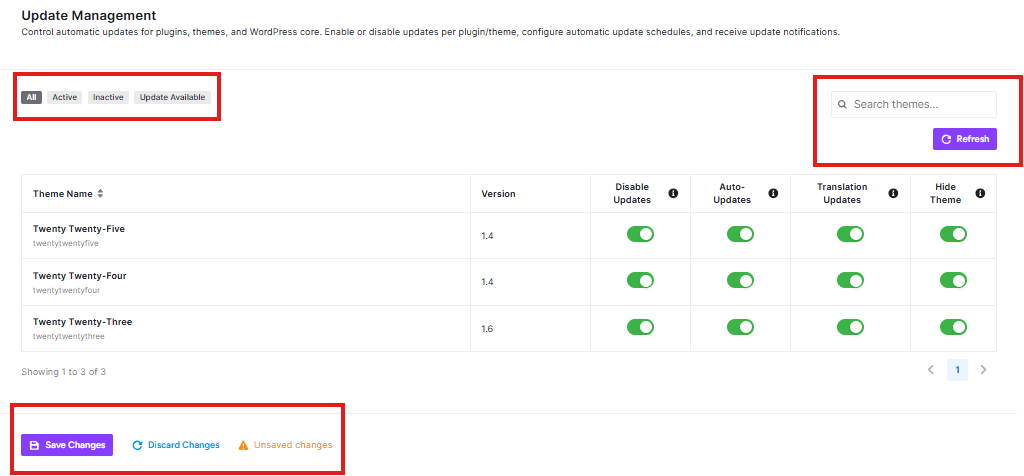
Themes are the visual designs and layouts of your website – they control how your site looks and feels to visitors. Just like plugins, themes need regular updates to stay secure and work properly.
Theme Updates Section
This page helps you manage updates for your website’s themes (the visual designs).
Filter Tabs
You can filter themes by their status:
- All: Shows every theme
- Active: Shows only themes currently being used
- Inactive: Shows themes that aren’t active
- Update Available: Shows themes that need updates
Search and Refresh
- Search themes: Find specific themes quickly
- Refresh: Get the latest update information
Theme Control Options
For each theme, you can control:
Disable Updates:
- Turn OFF to stop this theme from updating automatically
- Turn ON to allow automatic updates
Auto-Updates:
- Green means updates happen automatically
- Gray means you need to update manually
Translation Updates:
- Green means translation files update automatically
- Gray means you need to update translations manually
Hide Theme:
- Hide the theme from your dashboard (advanced option)


