
You can customize the message when visitors try to do something that is blocked.
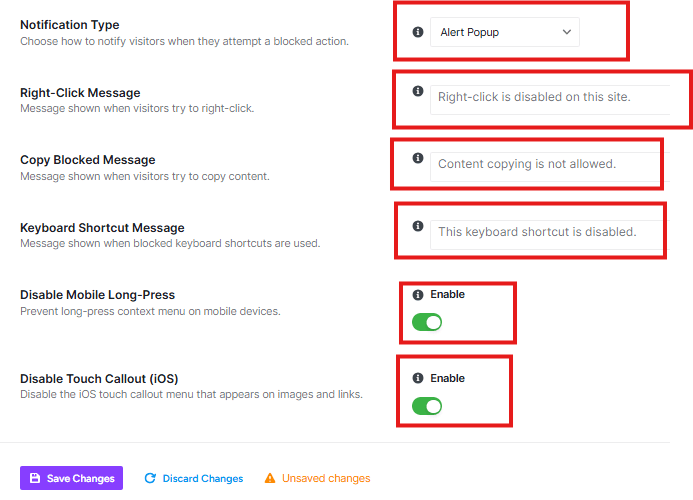
Notification Type
You can select from the drop-down menu how visitors will be notified when they try to do something blocked.
- “Alert Popup” shows a browser popup message
- “Toast” shows a subtle notification at the bottom of the screen
- “Silent” blocks the action without any message
Custom Messages
You can set specific messages for:
- Right-Click Message
- Copy Blocked Message
- Keyboard shortcut Message
Mobile Protection
You can enable two mobile-specific protections:
- Disable Mobile Long-Press – Prevents the long-press menu that appears on mobile devices
- Disable Touch Callout (iOS) – Disables the iOS touch callout menu that appears on images and links
This section helps you control both what visitors see when protection is triggered and how your protection works on mobile devices.


