
The “All Reports” section acts as an organized archive for every AI malware scan performed on your website. This archive helps you keep track of your security history, allowing you to monitor for recurring issues or changes in your site’s health over time.
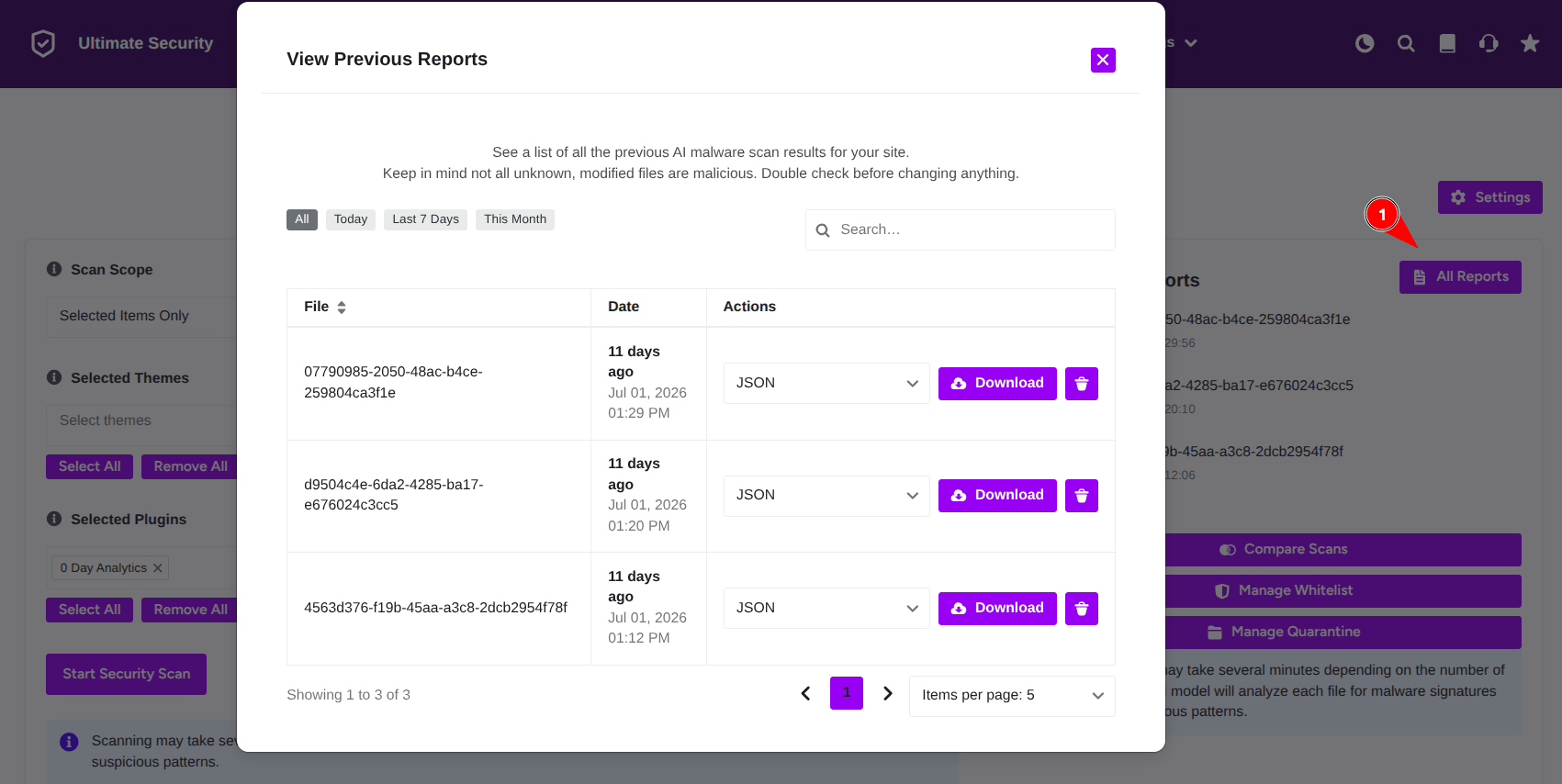
How to Use the Report Archive
Access a complete list of historical scan results to track your site’s security health over time.
- Filtering by Date: To help you find information quickly, you can filter your scan history by choosing a specific date range, such as “Today,” “Last 7 Days,” or “This Month.”
- Searching: If you have a long history of scans, use the search bar provided to quickly locate a report from a specific time or event.
Managing Your Data
- Downloading Results: If you need to keep a backup or share your security data, you can select your preferred file format (such as JSON) from the dropdown menu and click Download to save the report to your computer.
- Removing Old Reports: To keep your dashboard clean and relevant, click the trash icon next to any report you no longer need to delete it permanently.


