
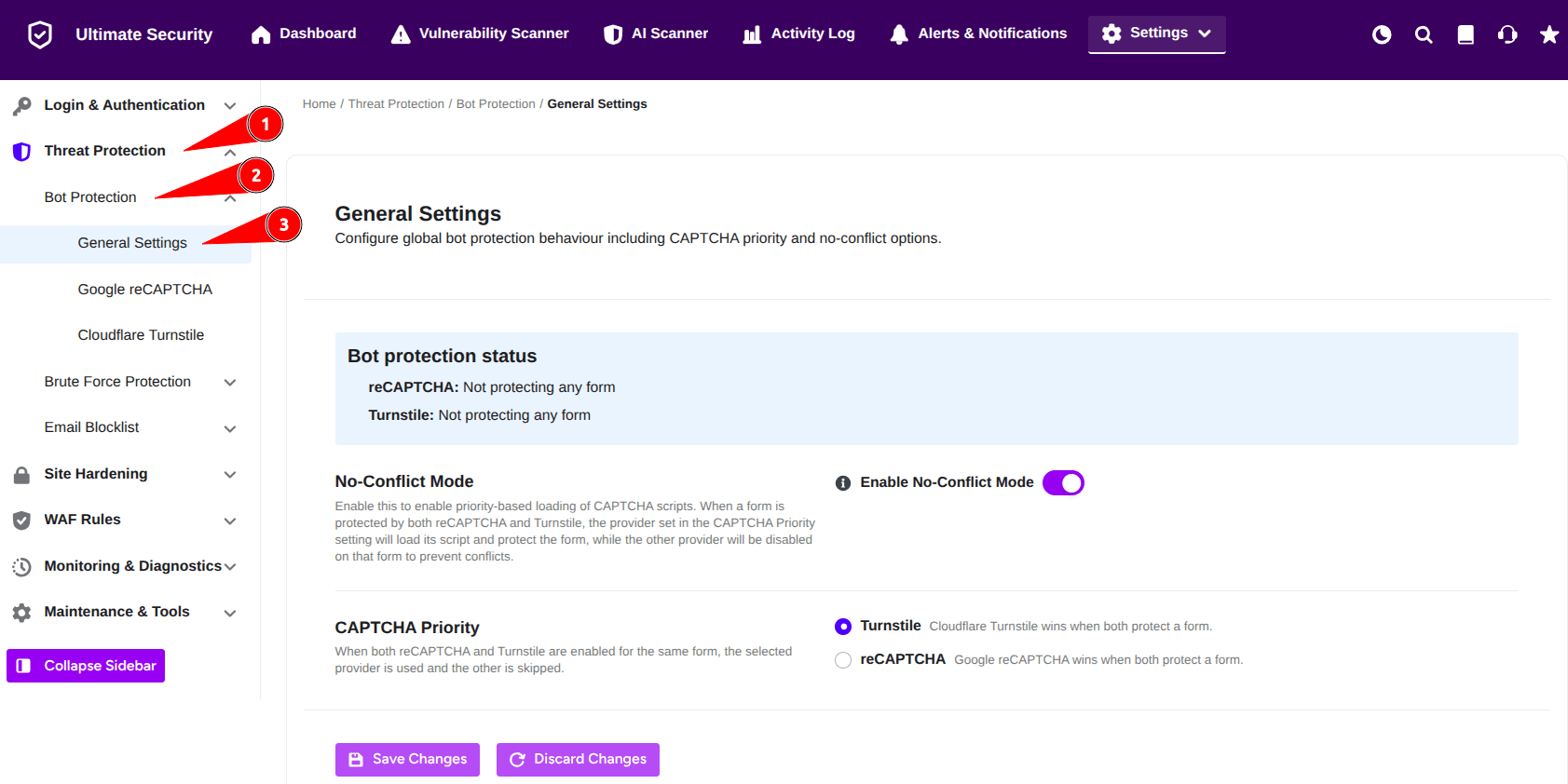
The General Settings allow you to manage how your site handles automated bots by configuring global behavior for your CAPTCHA providers. These settings ensure that your chosen security measures work together smoothly without interfering with your forms. To configure the settings, navigate to Ultimate Security > Settings > Threat Protection > Bot Protection > General Settings
What It Does
This section provides a overview of your active security status and offers tools to manage conflicts when using multiple bot protection services simultaneously.
- Bot Protection Status: This informative section displays the current status of both Google reCAPTCHA and Cloudflare Turnstile, so you can see at a glance which of your forms they are protecting.
- No-Conflict Mode: This feature enables priority-based loading of CAPTCHA scripts. When a form is protected by both reCAPTCHA and Turnstile, the provider set in the CAPTCHA Priority setting will load its script and protect the form, while the other provider will be disabled on that form to prevent conflicts.
- CAPTCHA Priority: This setting gives you control over which provider takes priority. When both reCAPTCHA and Turnstile are enabled for the same form, the provider you select here will be used, and the other will be skipped.
How to Use It
By enabling No-Conflict Mode and selecting your preferred CAPTCHA Priority, WordPress Ultimate Security ensures only one provider stays active for a smooth, secure user experience.
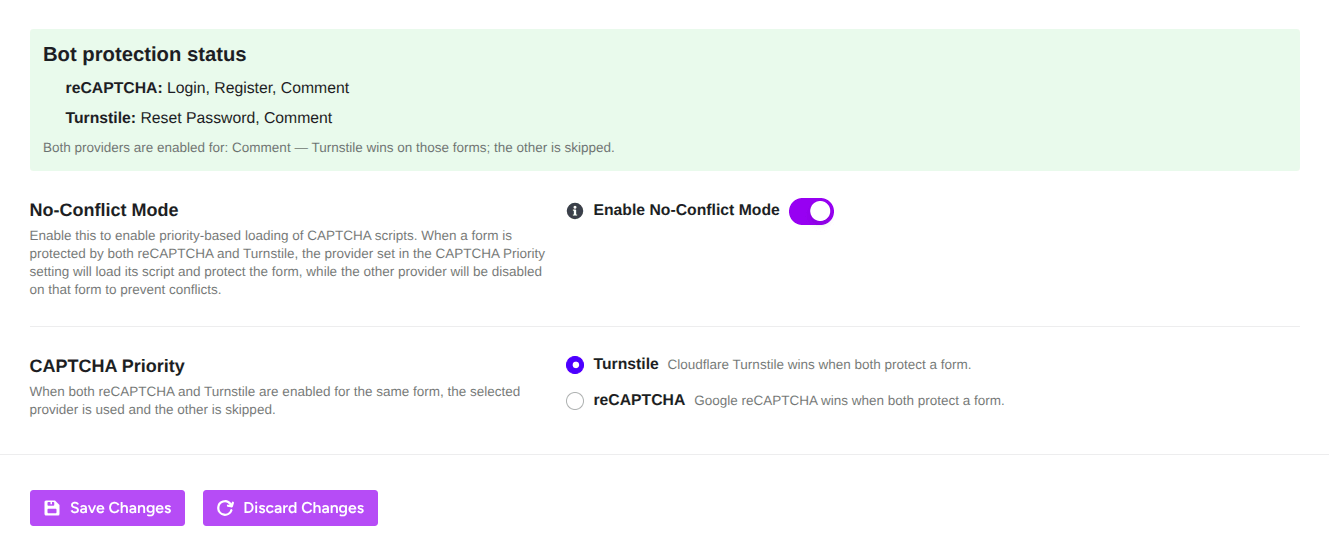
- Enable No-Conflict Mode: Locate the No-Conflict Mode toggle and switch it to the ON position if you intend to use both protection services on your site.
- Set CAPTCHA Priority: Under the CAPTCHA Priority section, select your preferred provider.
- Choose Turnstile if you want Cloudflare to take the lead when both services cover the same form.
- Choose reCAPTCHA if you prefer Google’s service to take priority.
- Save Your Settings: Once you have adjusted your preferences, click the Save Changes button at the bottom of the page to apply them. If you change your mind, click Discard Changes to revert to your previous configuration.


