
This feature keeps your security plugin safe from being turned off by bad people.
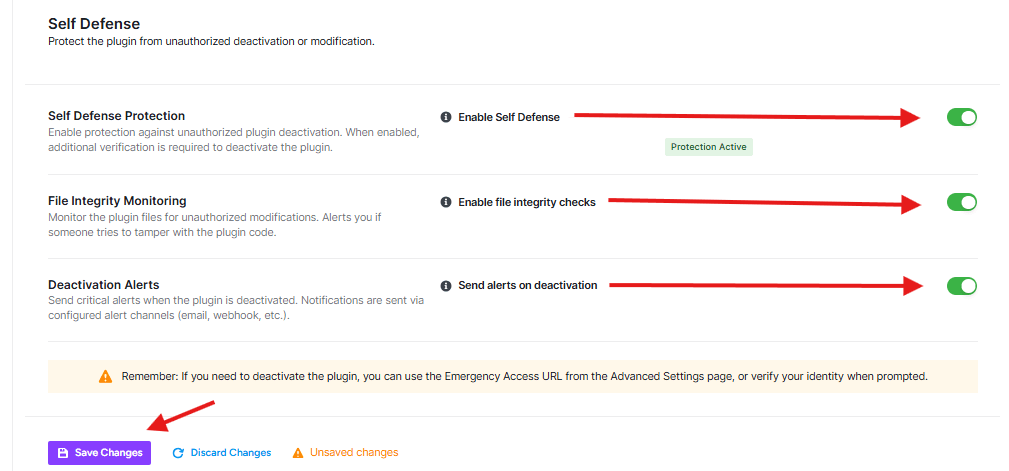
Enable Self Defense:
- When this is ON (green), it means:
- No one can turn off your security plugin
- If someone tries to turn it off, they’ll need to prove who they are first
- Your website stays protected
File Integrity Monitoring
This feature watches your security plugin files to make sure no one changes them.
- Enable file integrity checks: When this is ON (green), it means:
- The plugin checks if any files have been changed
- If someone tries to mess with your plugin code, you’ll get an alert
- Your security stays strong and trustworthy
Deactivation Alerts
This feature tells you when someone tries to turn off your security plugin.
- Send alerts on deactivation: When this is ON (green), it means:
- You’ll get a message if someone tries to turn off your security
- Alerts can come to your email or other places you set up
- You’ll know right away if something suspicious happens
Important Warning
If you ever need to turn off this security plugin (maybe to fix something), remember:
- You can use the “Emergency Access URL” from the Advanced Settings page
- Or you’ll need to prove it’s really you trying to turn it off


