
This page helps secure accounts by limiting current logins, terminating idle sessions, and tracking all login attempts
About Active Logins
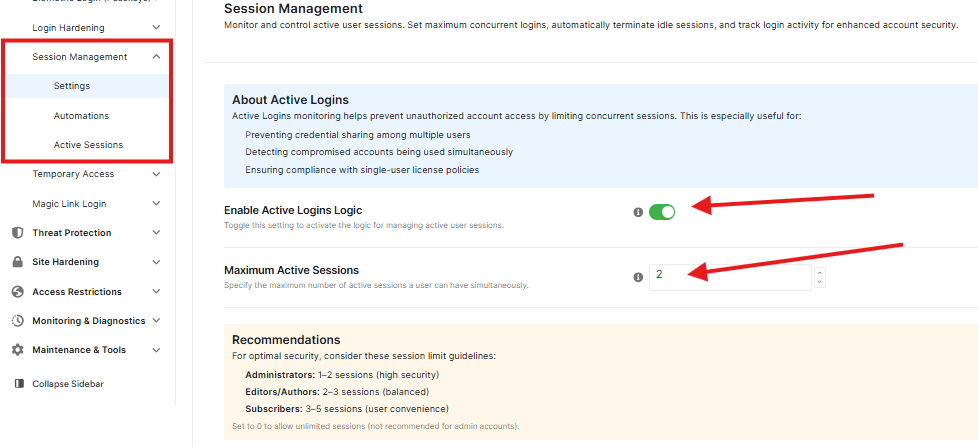
When you look at the About Active Logins box, you will see a simple explanation of why this feature is good for your site.
Enable Active Logins Logic
There is a toggle switch to enable this feature
Maximum Active Sessions
This setting allows you to control how many devices can stay logged in at a time. Set your preferred session numbers in the box to limit login devices.
Recommendations
At the bottom of the page, you will see a Recommendations section. This gives you helpful advice on how many sessions to allow for different types of users.
Note: If you aren’t sure what number to pick, following the recommendations is the safest choice
Use the buttons at the bottom of the page to save and discard changes.


