
Backup codes are single-use recovery codes that allow users to bypass the 2FA requirement in emergencies. This feature is essential for preventing permanent account lockouts while maintaining a high security standard.
Enable Backup Codes and Roles
This is the master switch for the recovery code system.
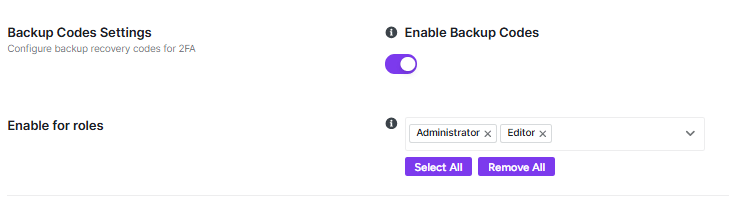
- Function: Toggle to Enable to allow the generation and use of backup recovery codes across your site.
- User Experience: Once enabled, permitted users can generate a set of codes from their individual profile page under the Two-Factor Authentication section.
- Selection: Use the Select roles dropdown to choose which user tiers (e.g., Administrator, Editor) can generate backup codes.
- Management: Use the Select All or Remove All buttons for rapid configuration across all site roles.
Backup Code Statistics
This dashboard provides a real-time overview of how recovery codes are being utilized on your site.

- Users with Codes: The total number of users who have generated at least one set of backup codes.
- Low on Codes: Identifies users who have nearly exhausted their supply of single-use codes and may need to generate new ones.
- Used Today / This Month: Tracks the frequency of recovery code usage to help you identify periods of high recovery activity.
Users with Backup Codes
This section provides a list of specific users who currently have active recovery codes.
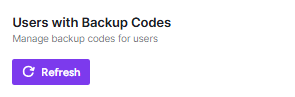
- Management: If no users have generated codes yet, this area will remain empty.
- Refresh: Click the Refresh button to update the list with the most recent user data.
Every time a backup code is used, the event is logged in the 2FA Audit Logs with a precise timestamp, IP address, and user information for security auditing.
After adjusting your settings, ensure you click Save Changes in the top-right corner to apply the new configuration.


