
The 2FA Audit Logs module is designed for enterprise-grade security monitoring. It captures every interaction with your two-factor authentication system, providing administrators with the visibility needed to identify patterns of unauthorized access or troubleshoot user login issues.
Enable Audit Logging
This toggle controls the sitewide tracking of 2FA events.

- Function: Toggle to Enable to begin recording all 2FA activities directly to your database.
- Data Captured: Every log entry includes essential metadata such as timestamps, IP addresses, user IDs, and the full context of the event.
Statistics (2FA Activity Metrics)
The Statistics dashboard provides a high-level overview of your 2FA system’s health and usage.
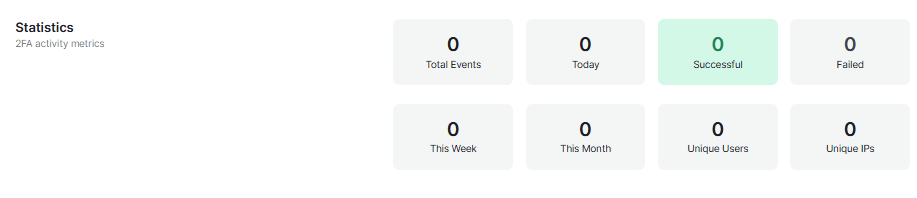
- Event Volume: View Total Events alongside specific time-based breakdowns for Today, This Week, and This Month.
- Success vs. Failure: Monitor the number of Successful vs. Failed 2FA attempts to quickly spot potential brute-force attacks or user frustration.
- User & Network Reach: Track Unique Users and Unique IPs to understand the scope of 2FA adoption and identify if multiple users are attempting to log in from the same suspicious network.
Top Users by Activity
This section provides a visual ranking of account interaction.
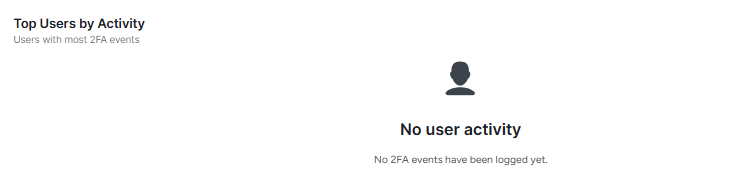
- Function: Automatically identifies and displays users with the highest volume of 2FA events.
- Security Use: Helps administrators quickly spot users who may be experiencing technical difficulties or accounts that are being targeted by frequent login attempts.
Filter & Search Logs
Refine your audit trail using granular criteria to find exactly what you need.
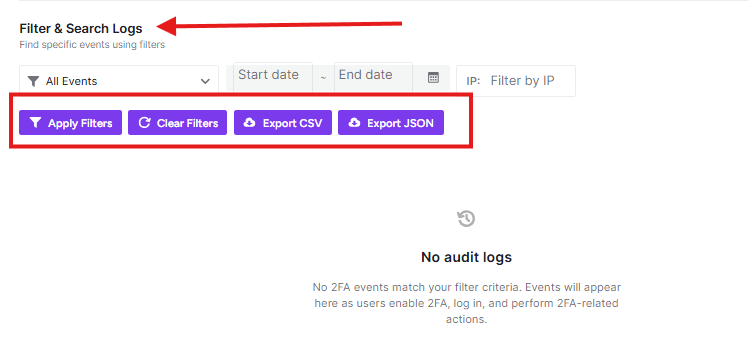
- Event Type: Use the All Events dropdown to filter by specific actions, such as successful logins, failed attempts, or backup code usage.
- Date Range: Select a Start date and End date to isolate events within a specific timeframe.
- IP Filtering: Enter a specific address in the Filter by IP field to track all 2FA activity originating from a single network.
- Action Buttons:
- Apply Filters: Updates the list based on your current criteria.
- Clear Filters: Resets all fields to show the full audit trail.
Data Exporting
For external auditing and long-term storage, you can export your filtered results in two standard formats.
- Export CSV: Downloads your logs as a spreadsheet-compatible file, ideal for manual review or local backups.
- Export JSON: Downloads the data in a machine-readable format, perfect for importing into Security Information and Event Management (SIEM) tools or custom dashboards.
Log Maintenance
Manually clean up your audit trail to prevent excessive database growth.
- Cleanup Options: You can choose to Delete Logs Older Than 90 Days, Delete Logs Older Than 30 Days, or Delete All Logs entirely.
- Permanent Action: Deleting audit logs is permanent and cannot be undone.
[!WARNING] Always ensure you have exported any logs you need to keep for compliance or historical review before using the deletion tools.

Logged Event Types
The audit system automatically tracks a wide array of security-critical interactions.
Events tracked by the system include:
- Authentication Status: 2FA Enabled/Disabled, Verification Success/Failed, and Account Lockouts.
- Method Management: Backup Codes Generated/Used, Passkeys Registered/Used, and Method Changed.
- User Details: Phone Number Updated and Trusted Device Added.
- Session Data: SMS Sent/Verified and Session Created.
Database Information
For advanced users and developers, this section provides technical details regarding log storage.
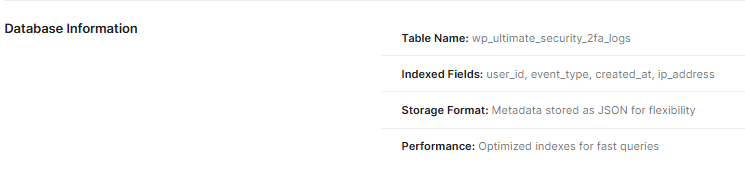
- Table Name: All 2FA audit data is stored in the
wp_ultimate_security_2fa_logstable. - Indexed Fields: Key fields such as
user_id,event_type,created_at, andip_addressare indexed to ensure high-speed data retrieval. - Storage Format: Metadata is stored as JSON for maximum flexibility in recording diverse event details.
- Performance: The database structure utilizes optimized indexes specifically designed for fast queries, even with large datasets.
[!TIP] Use the Save Changes button at the bottom of the screen to commit any configuration updates


