
Content Protection Overview page helps you protect your website’s content from being copied by visitors.
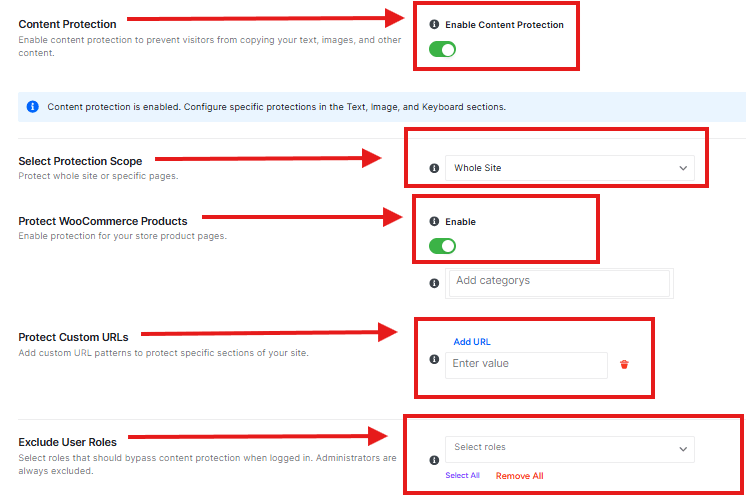
Enable Content Protection
This main toggle turns the entire content protection feature on or off. It prevents visitors from copying your text, images, and other content.
Protection Scope
You can choose to protect either your entire website (“Whole Site”) or only specific pages (“Specific Pages”).
Protect WooCommerce Product
- This toggle specifically protects your store’s product pages.
- Add categories to protection-specific product categories.
Custom URLs Patterns
You can add custom URL patterns to protect specific sections of your site that aren’t covered by the other options.
Exclude User Roles
You can choose which user roles should be able to bypass the content protection (administrators are always excluded by default).
Save or Discard button to apply changes


