
This window helps you configure the scanner.
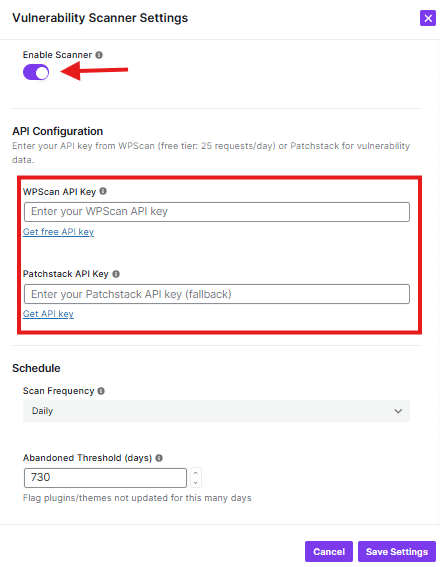
What You Can Configure:
API Configuration:
- WPScan API Key: Get WPScan API key, and paste it into the field
- Patchstack API Key: Get Patchstack API key, and paste it into the field
Schedule:
- Scan Frequency: Choose how often to scan (currently set to “Daily”)
- Abandoned Threshold: Set how many days to check for abandoned plugins/themes
Notifications:
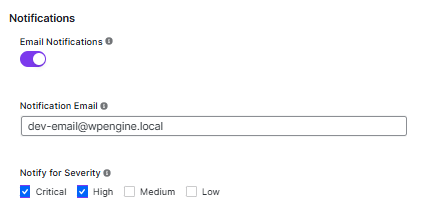
- Email Notifications: Toggle ON/OFF (currently ON)
- Notification Email: Enter the email address to receive alerts
- Severity Levels: Choose which types of issues to notify about (Critical, High, Medium, Low)
Buttons:
- Cancel: Close without saving
- Continue: Save your settings


