
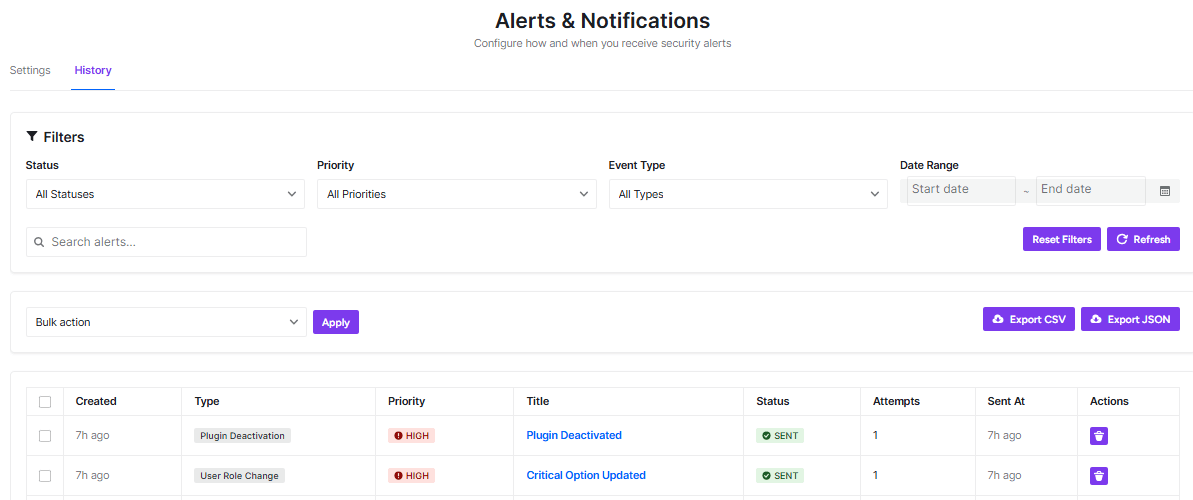
This page shows a record of all security alerts that have been sent from your WordPress site. It’s like a logbook of what’s been happening with your site’s security.
Filtering Your Alerts
You can narrow down what you see using these filters:
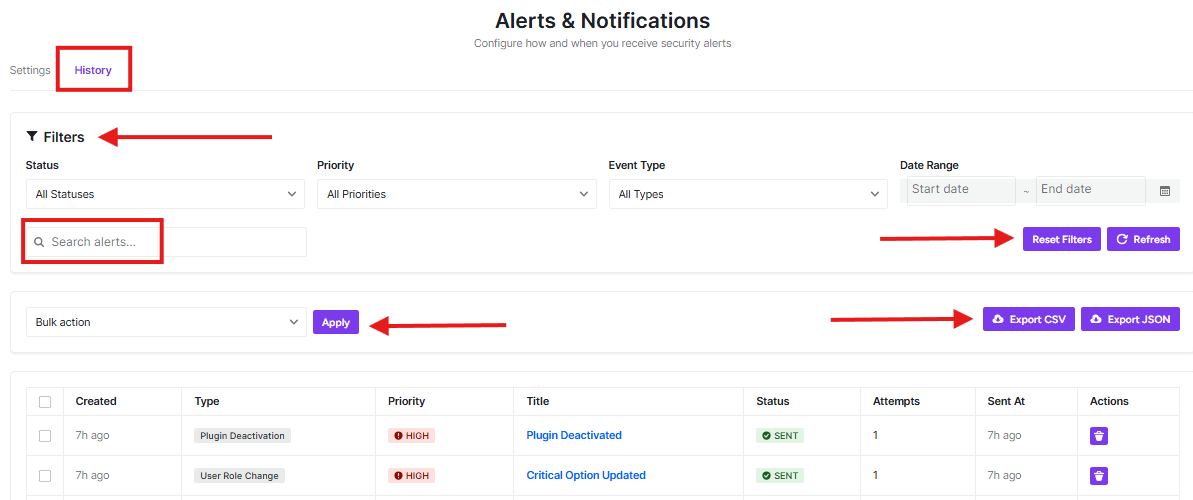
- Status: Choose to see all alerts or only specific ones (like pending, sent, or failed)
- Priority: Filter by importance level (low, medium, high)
- Event Type: Focus on specific types of security events
- Date Range: Look at alerts from a specific time period
Search and Export
- Search alerts: Type keywords to find specific alerts quickly
- Reset Filters: Clear all your filter selections
- Refresh: Update the page to see the latest information
- Export: Save your alert data as CSV or JSON files for records or analysis
Alert List
The table shows detailed information about each alert:
- Created: When the security event happened
- Type: What kind of security event occurred
- Priority: How important the alert is (HIGH priority events are marked in red)
- Title: A brief description of the event (click to see more details)
- Status: Whether the alert was successfully sent
- Attempts: How many times the system tried to send the alert
- Sent At: When the alert was actually delivered
- Actions: Additional options for each alert
This history helps you track your site’s security over time and understand what types of events are occurring most frequently.


