
Ultimate Security Pro & License Activation
Install the Ultimate Security Pro zip, activate your license key, manage or swap the key, and see what happens to updates when it expires.
On this page
This guide walks you through installing the Ultimate Security Pro plugin, activating your license key, and managing your license settings.
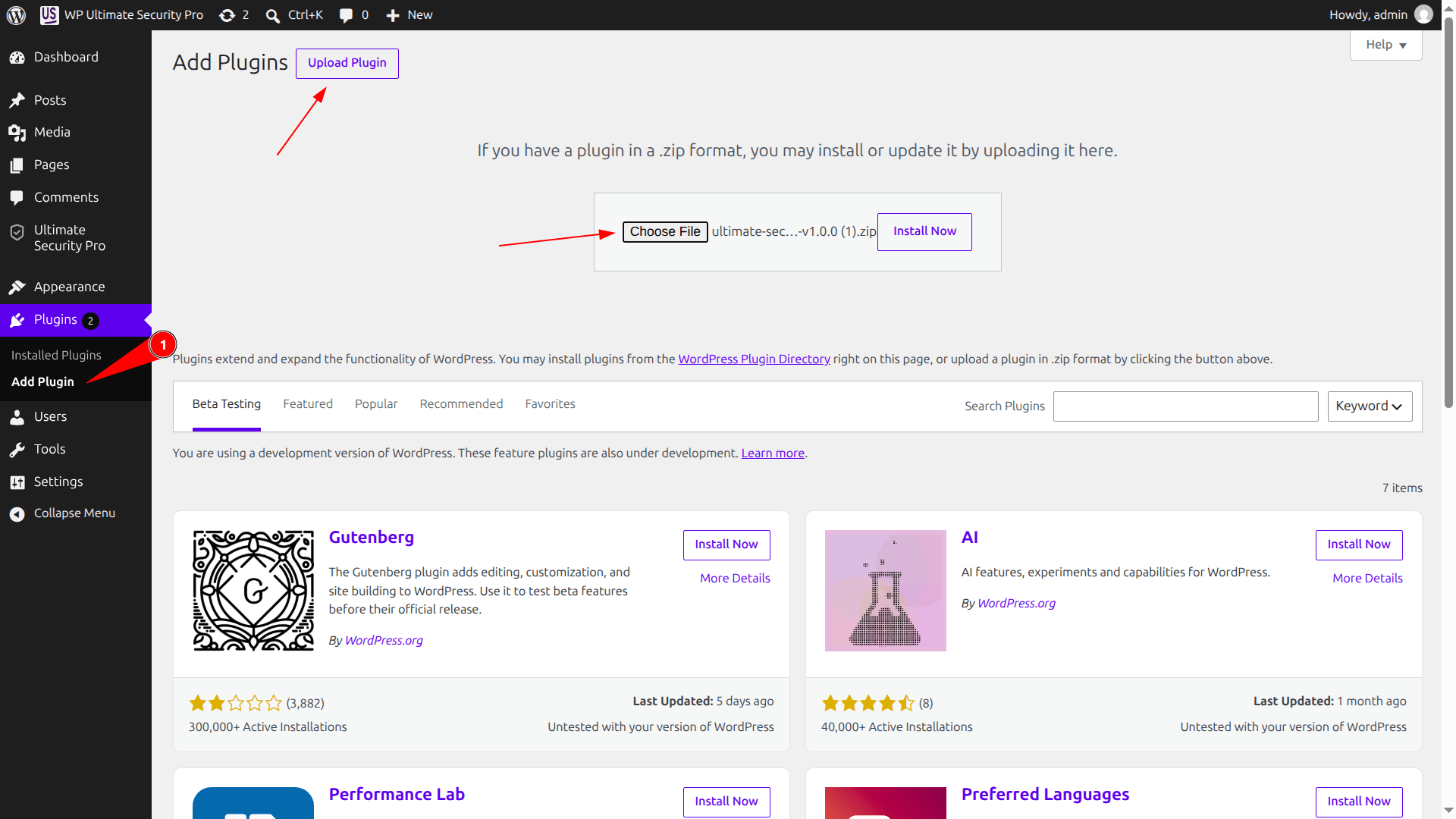
Installing the Pro Plugin
- Go to Plugins > Add New from your WordPress admin sidebar menu.
- Click the Upload Plugin button
- Click Choose File, select the
"Ultimate Security Pro” zip file you downloaded from the customer’s portal/dashboard, and click Install Now. - Once WordPress finishes unpacking the package, click Activate Plugin.
Activating Your License Key
After activating the plugin, head to the license settings page from Ultimate Security > License.
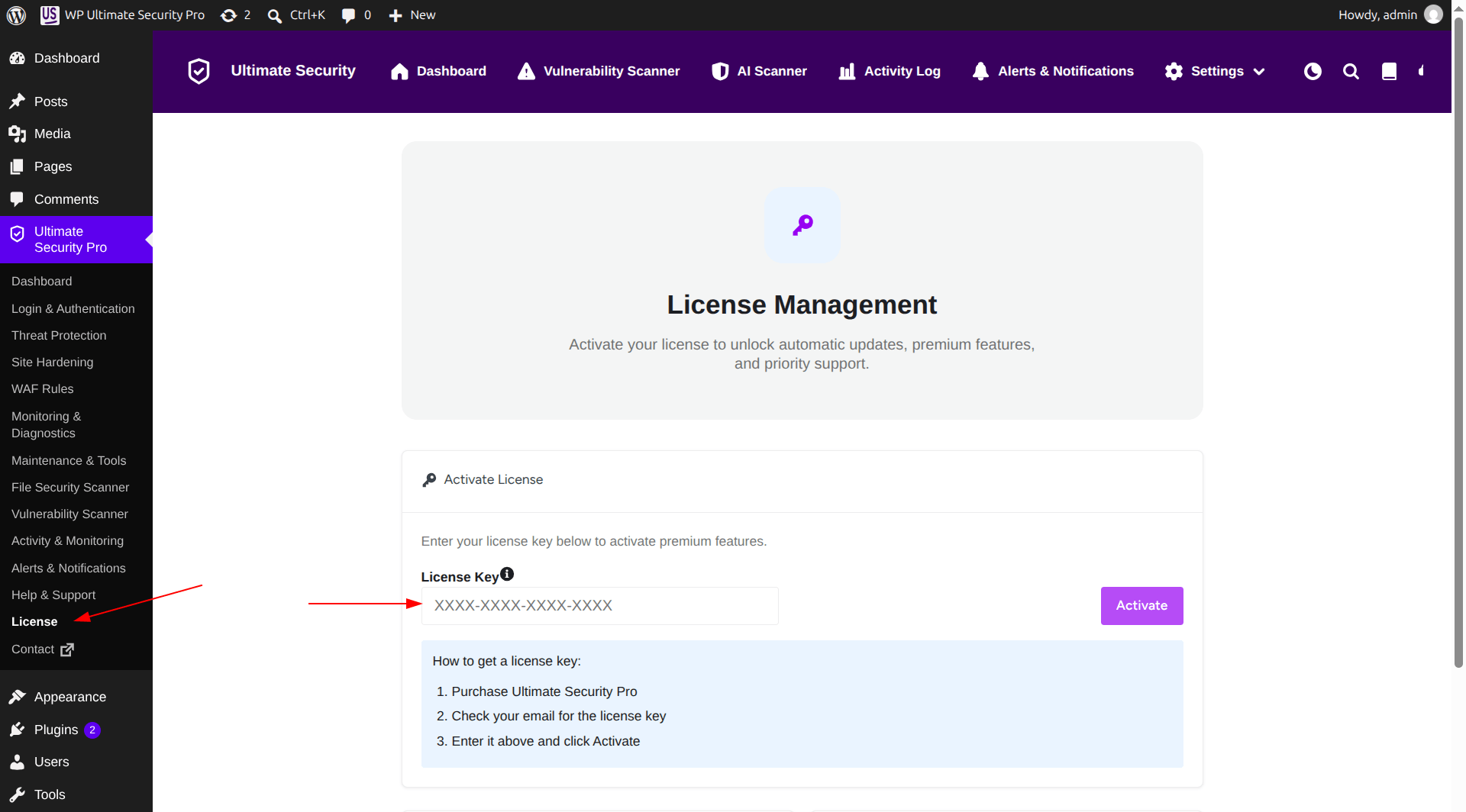
- Copy your license key from your customer account dashboard.
- Paste the key into the License Key input field.
- Click Activate to instantly unlock Pro features, automatic updates, and support.
Managing Your License
Once activated, the License Management page displays your current subscription plan, renewal date, masked license key, and status (Active & Valid).
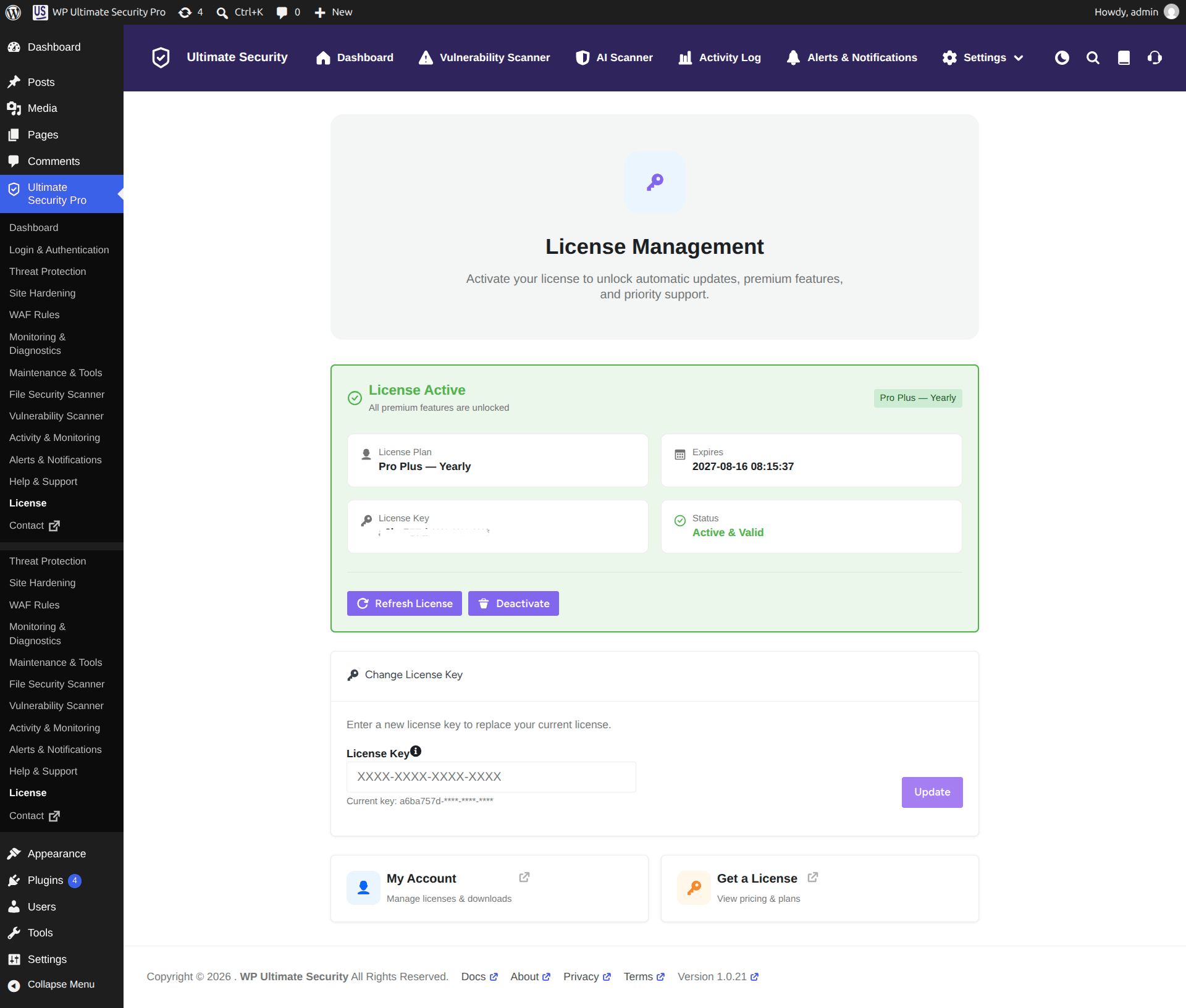
- Refresh License: Click this button if you recently upgraded or renewed your subscription to sync your site status.
- Deactivate: Click this button to disconnect the license from this website.
- Change License Key: Enter a new license key in the provided field and click Update to swap your active key.
- Quick Links: Click My Account to access downloads and account details, or Get a License to view available pricing tiers.
Getting Pro Plugin Updates
While your Pro license is active, you will receive automatic updates for Ultimate Security Pro directly from the Plugins page in your WordPress admin.
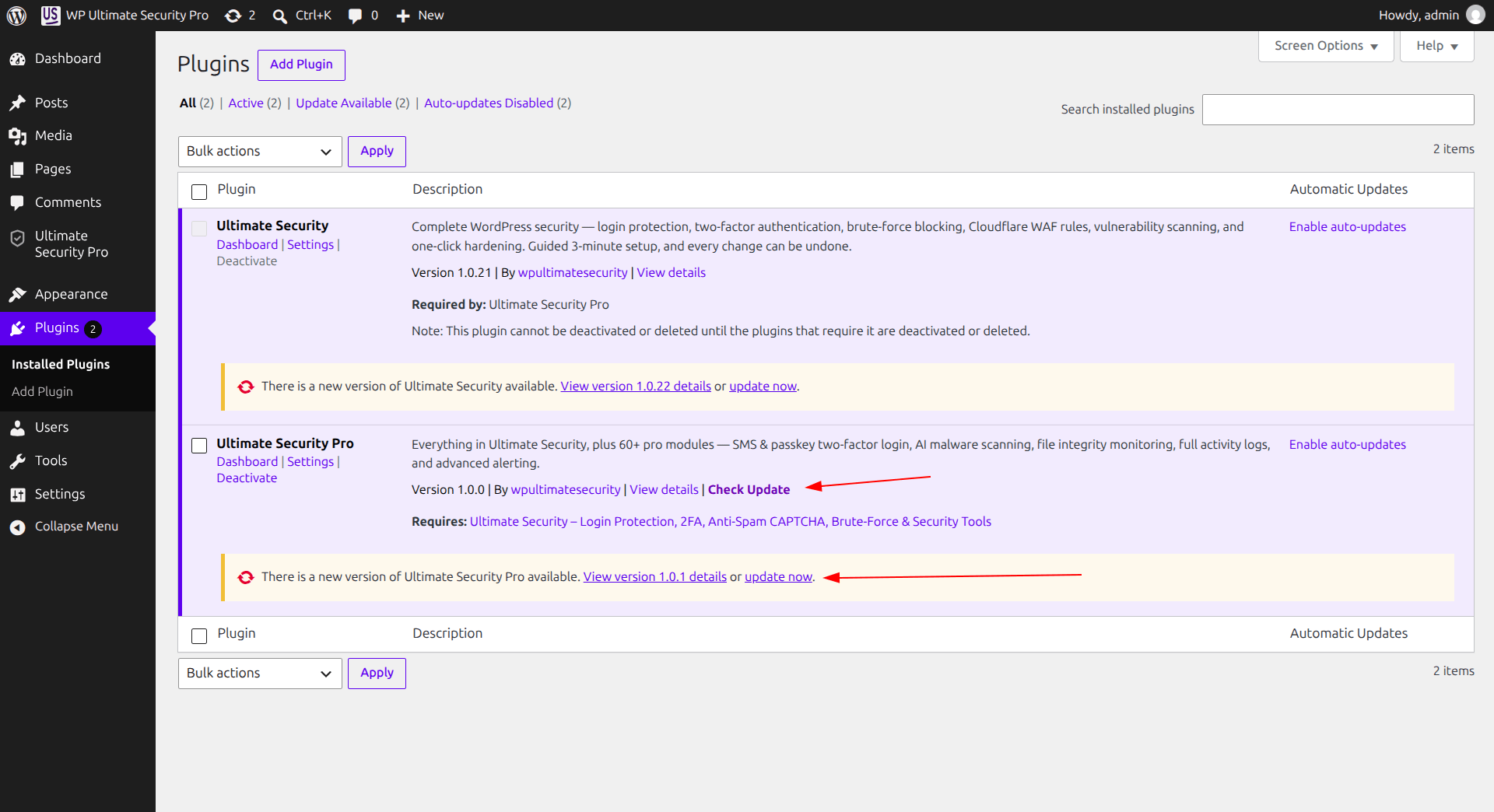
- Go to Plugins > Installed Plugins.
- When a new version is available, you will see an update notification for Ultimate Security Pro.
- Click Update Now to install the latest version.
Also, you can get the updated Ultimate Security Pro version in your customer’s portal dashboard under the download option.
What Happens When Your License Expires
If your Pro plan expires and you do not renew it, you can continue using all Pro features of Ultimate Security without interruption. However, you will no longer receive plugin updates.
To keep receiving updates, security fixes, and new features, simply renew your license from the Ultimate Security > License page or your customer account dashboard.