
Backup Codes
Enable single-use 2FA backup codes for chosen roles, track how many users hold codes or are running low, and see how often codes are used.
On this page
Backup codes are single-use recovery codes that allow users to bypass the 2FA requirement in emergencies. This feature is essential for preventing permanent account lockouts while maintaining a high security standard.
Enable Backup Codes and Roles
This is the master switch for the recovery code system.
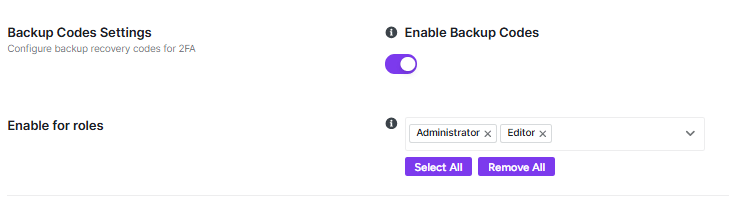
- Function: Toggle to Enable to allow the generation and use of backup recovery codes across your site.
- User Experience: Once enabled, permitted users can generate a set of codes from their individual profile page under the Two-Factor Authentication section.
- Selection: Use the Select roles dropdown to choose which user tiers (e.g., Administrator, Editor) can generate backup codes.
- Management: Use the Select All or Remove All buttons for rapid configuration across all site roles.
Backup Code Statistics
This dashboard provides a real-time overview of how recovery codes are being utilized on your site.

- Users with Codes: The total number of users who have generated at least one set of backup codes.
- Low on Codes: Identifies users who have nearly exhausted their supply of single-use codes and may need to generate new ones.
- Used Today / This Month: Tracks the frequency of recovery code usage to help you identify periods of high recovery activity.
Users with Backup Codes
This section provides a list of specific users who currently have active recovery codes.
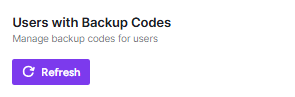
- Management: If no users have generated codes yet, this area will remain empty.
- Refresh: Click the Refresh button to update the list with the most recent user data.
Every time a backup code is used, the event is logged in the 2FA Audit Logs with a precise timestamp, IP address, and user information for security auditing.
After adjusting your settings, ensure you click Save Changes in the top-right corner to apply the new configuration.